

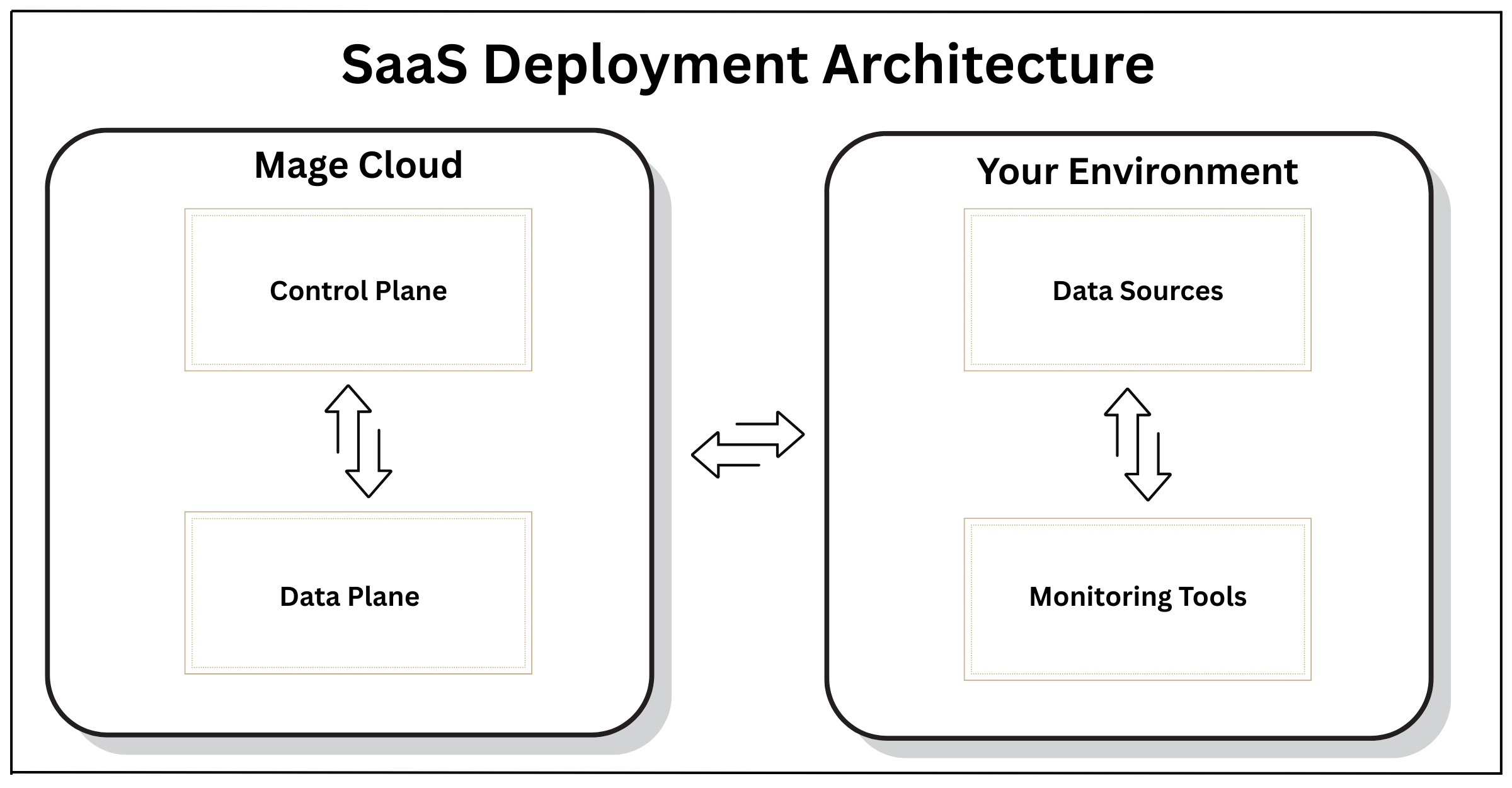
Technical Specifications
- Deployment Method: Zero touch deployment with automatic provisioning
- Infrastructure: Containerized environment with auto scaling in Kubernetes
- Networking: Secure TLS connections to data sources with IP allowlisting
- Authentication: SAML/OAuth2 support for SSO integration
- Updates: Automated version management with zero-downtime updates
- Scalability: Dynamic resource allocation based on workload patterns
- Monitoring: Internal monitoring tools, capable of integrating with external monitoring tools
Allowlist IP addresses
Enhance your network security by configuring firewall rules or security groups to allow traffic only from Mage Pro’s static IP addresses. This prevents unauthorized access by restricting connections to trusted sources only. In Mage, open Settings > Access & security > Network access to view and copy individual addresses or the complete regional list. The former/onboarding/security and /settings/workspace/security URLs redirect to this settings page.
Allowlist every address below when your Mage Pro workspace region is listed. Contact Mage before configuring your firewall if your region is not listed.
United States
Integration Requirements
- Ensure network connectivity between your data sources and Mage’s cloud environment
- Configure firewall rules to allow connection from Mage’s IP ranges
- Set up authentication credentials for data source access
- Establish monitoring integrations if desired