

Secret management
Creating secrets
To manage your secrets in Mage OSS, select Secrets in the left navigation. In Mage Pro, open Library and select Secrets. This opens the global secrets management page where you can see all your secrets, create new ones, and delete existing ones. You can also manage secrets directly from the pipeline edit page. In the sidekick, you should see aSecrets tab. To create a secret, press the New button on this tab.
Input a name for the secret and the value of the secret, and press Enter or Return to save.
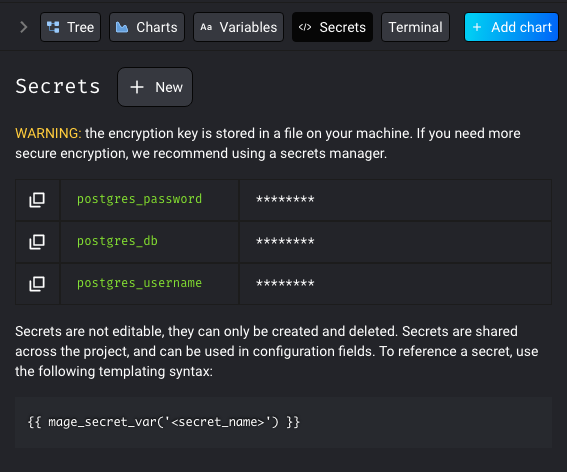 The secrets can be shared across the project that they are created in.
Pipeline level secrets coming soon…
The secrets can be shared across the project that they are created in.
Pipeline level secrets coming soon…
Secrets in different environments
Secrets are stored to the Mage database. If you are using the same database across multiple Mage environments, i.e. development and production, the secrets will not be shared across the environments unless you shared the same Mage data directory for every environment. Each secret will be saved to the database with a name and a uuid. The name will be used to identify the secret, and the uuid is used to identify the environment. Example:
Coming soon:
- secrets scoped to a pipeline
Using Secrets
You can use the following syntax to have Mage interpolate the secret when reading from the config: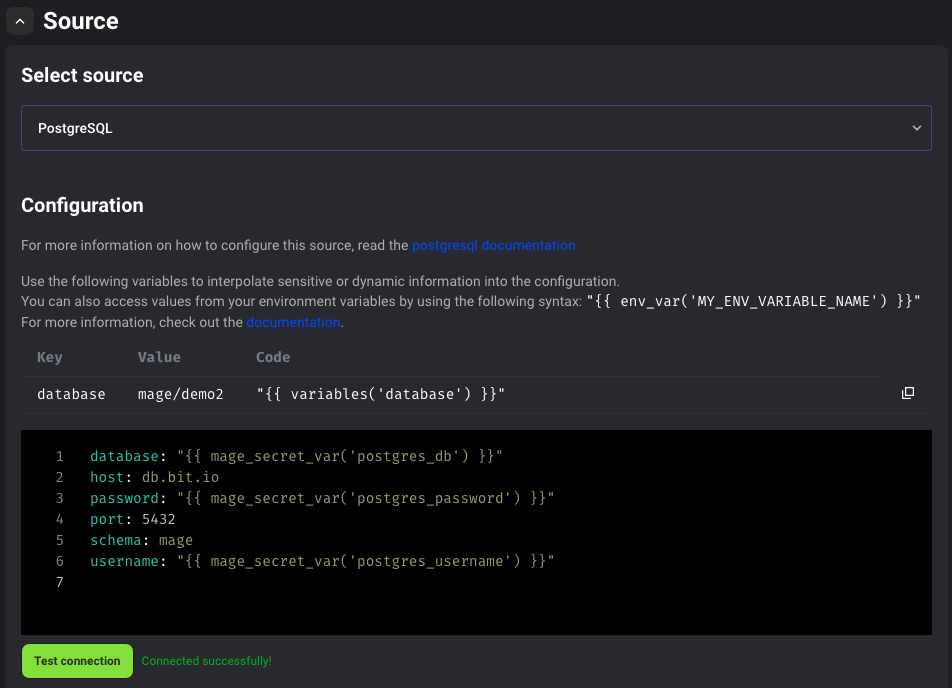 You can also fetch the secret value in a Mage code block by importing a helper method: