> ## Documentation Index
> Fetch the complete documentation index at: https://docs.mage.ai/llms.txt
> Use this file to discover all available pages before exploring further.

# Data validation

> Every data loader and transformer block has data validation capabilities built-in.

You can define 1 or more test functions in a single block. Each test function
accepts a data object as an argument.

Within the body of the function, you can write any type of test you want to
validate the input data.

After the block’s main code is executed, the output data is passed into each
test function for validation. If any tests fail, then the block run will also
fail.

***

### Example

Here is an example of a transformer block with 2 tests:

```python theme={"system"}
from pandas import DataFrame

if 'transformer' not in globals():
    from mage_ai.data_preparation.decorators import transformer
if 'test' not in globals():
    from mage_ai.data_preparation.decorators import test

COLUMNS_TO_USE = ['name']


@transformer
def transform_df(df: DataFrame, *args, **kwargs) -> DataFrame:
    return df.iloc[:1][COLUMNS_TO_USE]


@test
def test_number_of_rows(df) -> None:
    assert len(df.index) >= 2, 'The output has more than 1 row.'


@test
def test_columns(df) -> None:
    assert df.columns[0] != COLUMNS_TO_USE[0], 'The output columns don’t match.'
```

<Note>
  You can combine all your data validations into 1 test function or you can
  split them up into multiple test functions. The benefit of splitting them up
  is that they can run in parallel, speeding up the data validation.
</Note>

***

### Log output

Each test run is recorded and can be viewed in the logs. Here is an example:

```
Start executing block.
--------------------------------------------------------------
2/2 tests passed.
Finish executing block.
```

***

# Data Quality with Great Expectations

![Great Expectations](https://images.ctfassets.net/ycwst8v1r2x5/22OiZltRmxCktJkYGUR2Su/c6da39d7884a9ec2d8b2d451cd81db6c/GX_Dark_BG_2x.png)

## Setup

1. Before adding expectations to your pipeline, please make sure you have at least 1
   data loader, transformer, or data exporter block.
   They must be Python blocks (SQL block support coming soon).

   If you don’t have any blocks, add a data loader block and paste the following code:

   ```python theme={"system"}
   import io
   import pandas as pd
   import requests


   @data_loader
   def load_data_from_api(*args, **kwargs):
       url = 'https://raw.githubusercontent.com/mage-ai/datasets/master/restaurant_user_transactions.csv'
       response = requests.get(url)
       return pd.read_csv(io.StringIO(response.text), sep=',')
   ```

   For more expectations, read Great Expectation’s [documentation](https://greatexpectations.io/expectations/).

2. [Add Great Expectations power up to your pipeline](/design/blocks/extension#how-to-add-extensions-to-your-pipeline).

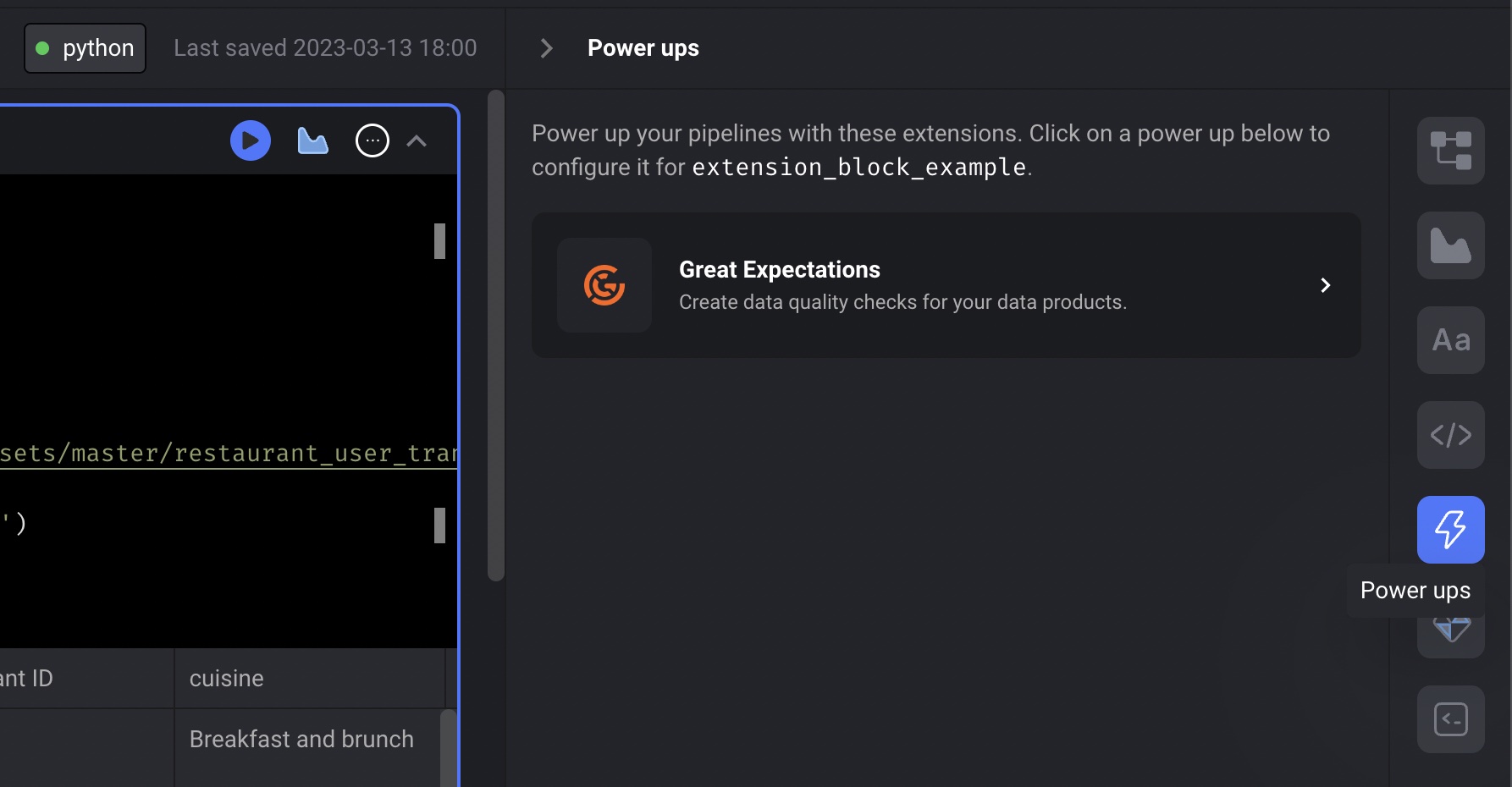
3. In the list of available power ups, click the option for <b>Great Expectations</b>.
   ![Power ups](https://github.com/mage-ai/assets/blob/main/notebook/extensions/power-ups.jpg?raw=true)

***

## Adding expectations to your pipeline

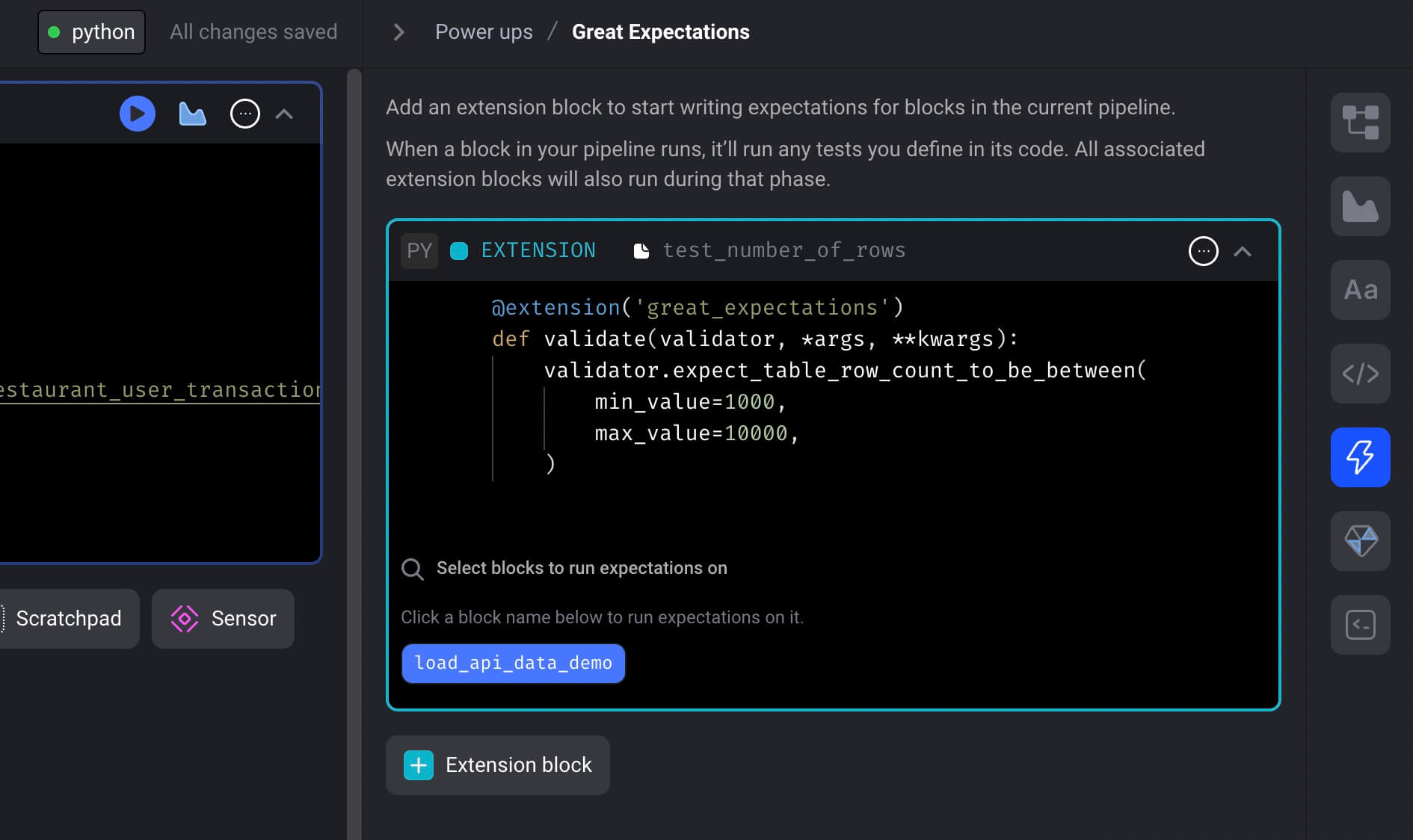
1. Once you’re on the Great Expectations power up detail page, you can add extension blocks to
   the current pipeline by clicking the button labeled <b>\[+ Extension block]</b>.

2. In dropdown menu, click the template option labeled <b>Empty template</b>.

3. A popup dialog may appear asking you to enter a name for the new extension block.
   If it appears, fill in `test number of rows` as the name and click the button labeled <b>\[Save and add block]</b>.

4. Paste the following code in the extension block named `test number of rows`:

   ```python theme={"system"}
   @extension('great_expectations')
   def validate(validator, *args, **kwargs):
       validator.expect_table_row_count_to_be_between(
           min_value=1000,
           max_value=10000,
       )
   ```

   <Note>
     You can add expectations using code or from a JSON object.
     See section [Defining expectations](#defining-expectations) below for more details.
   </Note>

5. In the extension block near the bottom, click the input field that says
   “Select blocks to run expectations on”.

6. Once you click that input field, a list of blocks from your pipeline will appear.

7. Check the checkbox on the right side of the dropdown to associate that block to this extension block.

8. Click the button labeled <b>Save selected blocks</b>.

9. After you save, a button that is labeled after the name of the block you just selected will appear.
   For example, if your block is named `load_api_data_demo`,
   then a button labeled <b>load\_api\_data\_demo</b> will appear.
   ![Great Expectations extension block](https://github.com/mage-ai/assets/blob/main/notebook/extensions/great-expectation-extension-block.jpeg?raw=true)

10. Click that button to run your extension block for the block `load_api_data_demo`.

11. The output should look something like this:
    ```
    Calculating Metrics:   0%|          | 0/1 [00:00<?, ?it/s]
    Calculating Metrics:   0%|          | 0/1 [00:00<?, ?it/s]
    Expectations from extension test_number_of_rows for block load_api_data_demo succeeded.
    {
      "results": [
        {
          "expectation_config": {
            "expectation_type": "expect_table_row_count_to_be_between",
            "kwargs": {
              "min_value": 1000,
              "max_value": 10000,
              "batch_id": "9946450cf9609e633658e9c4ee38efa5"
            },
            "meta": {}
          },
          "success": true,
          "meta": {},
          "exception_info": {
            "raised_exception": false,
            "exception_traceback": null,
            "exception_message": null
          },
          "result": {
            "observed_value": 10000
          }
        }
      ],
      "success": true,
      "evaluation_parameters": {},
      "meta": {
        "great_expectations_version": "0.15.50",
        "expectation_suite_name": "expectation_suite_for_block_load_api_data_demo",
        "run_id": {
          "run_name": null,
          "run_time": "2023-03-14T01:41:09.117251+00:00"
        },
        "batch_spec": {
          "data_asset_name": "data_asset_load_api_data_demo",
          "batch_data": "PandasDataFrame"
        },
        "batch_markers": {
          "ge_load_time": "20230314T014109.103956Z",
          "pandas_data_fingerprint": "76d98f6ff10d31abaae6e9a7c47cc7c1"
        },
        "active_batch_definition": {
          "datasource_name": "datasource_name_load_api_data_demo",
          "data_connector_name": "data_connector_name_load_api_data_demo",
          "data_asset_name": "data_asset_load_api_data_demo",
          "batch_identifiers": {
            "default_identifier_name": "default_identifier"
          }
        },
        "validation_time": "20230314T014109.117222Z",
        "checkpoint_name": null
      },
      "statistics": {
        "evaluated_expectations": 1,
        "successful_expectations": 1,
        "unsuccessful_expectations": 0,
        "success_percent": 100.0
      }
    }
    ```

### Other ways to run expectations

Whenever you run a block while editing your pipeline,
any associated Great Expectations extension blocks will also be ran.

If any expectations fail, the block output will display an error message with the failure results.

***

## Defining expectations

### Code

```python theme={"system"}
@extension('great_expectations')
def validate(validator, *args, **kwargs):
    validator.expect_table_row_count_to_be_between(
        min_value=1000,
        max_value=10000,
    )
```

### JSON object

```python theme={"system"}
expectations_json = [
  {
    "expectation_type": "expect_table_row_count_to_be_between",
    "kwargs": {
      "min_value": 1000,
      "max_value": 10000
    }
  },
  {
    "expectation_type": "expect_column_values_to_not_be_null",
    "kwargs": {
      "column": "user ID",
      "result_format": "BASIC"
    }
  }
]


@extension('great_expectations', expectations=expectations_json)
def validate(validator, *args, **kwargs):
    pass
```

### Code and JSON object

```python theme={"system"}
expectations_json = [
  {
    "expectation_type": "expect_column_values_to_not_be_null",
    "kwargs": {
      "column": "user ID",
      "result_format": "BASIC"
    }
  }
]


@extension('great_expectations', expectations=expectations_json)
def validate(validator, *args, **kwargs):
    validator.expect_table_row_count_to_be_between(
        min_value=1000,
        max_value=10000,
    )
```

***

## Running expectations end-to-end

When your pipeline runs, the expectations you defined in your extension blocks will be ran for
every associated data loader, transformer, or data exporter block in your pipeline.

### Success

If all expectations for a block pass, the success message in the pipeline run logs will look
something like this:

```
Expectations from extension test_number_of_rows for block load_api_data_demo succeeded.
```

### Failure

If any expectation fails, the block it was associated with will also fail.

You can check the pipeline logs for the block failure. There will be an entry containing the error
message with the failure results. It could look something like this:

```
Traceback (most recent call last):
  File "/home/src/mage_ai/data_preparation/models/block/__init__.py", line 648, in execute_sync
    output = self.execute_block(
  File "/home/src/mage_ai/data_preparation/models/block/__init__.py", line 885, in execute_block
    outputs = self._execute_block(
  File "/home/src/mage_ai/data_preparation/models/block/__init__.py", line 949, in _execute_block
    outputs = self.execute_block_function(
  File "/home/src/mage_ai/data_preparation/models/block/__init__.py", line 975, in execute_block_function
    output = block_function(*input_vars, **global_vars)
  File "/home/src/mage_ai/data_preparation/models/block/extension/block.py", line 46, in func
    raise Exception(
Exception: Expectations from extension test_number_of_rows for block load_api_data_demo failed:

{
  "exception_info": {
    "raised_exception": false,
    "exception_traceback": null,
    "exception_message": null
  },
  "meta": {},
  "success": false,
  "expectation_config": {
    "expectation_type": "expect_table_row_count_to_be_between",
    "kwargs": {
      "min_value": 1000,
      "max_value": 10000,
      "batch_id": "9946450cf9609e633658e9c4ee38efa5"
    },
    "meta": {}
  },
  "result": {
    "observed_value": 10
  }
}
```