> ## Documentation Index
> Fetch the complete documentation index at: https://docs.mage.ai/llms.txt
> Use this file to discover all available pages before exploring further.
# Using an external IDE
> We love our UI, but here's how to develop in your favorite IDE, too.
## Create a new pipeline
Each pipeline is represented by a YAML file in a folder named `pipelines/` under the Mage
project directory.
For example, if your project is named `demo_project` and your pipeline is named `etl_demo` then
you’ll have a folder structure that looks like this:
```
demo_project/
| pipelines/
| | etl_demo/
| | | __init__.py
| | | metadata.yaml
```
Create a new folder in the `demo_project/pipelines/` directory. Name this new folder after the name
of your pipeline.
Add 2 files in this new folder:
1. `__init__.py`
2. `metadata.yaml`
In the `metadata.yaml` file, add the following content:
```yaml theme={"system"}
blocks: []
name: etl_demo
type: python
uuid: etl_demo
```
Change `etl_demo` to whatever name you’re using for your new pipeline.
## Sample pipeline metadata content
This sample pipeline `metadata.yaml` will produce the following block dependencies:
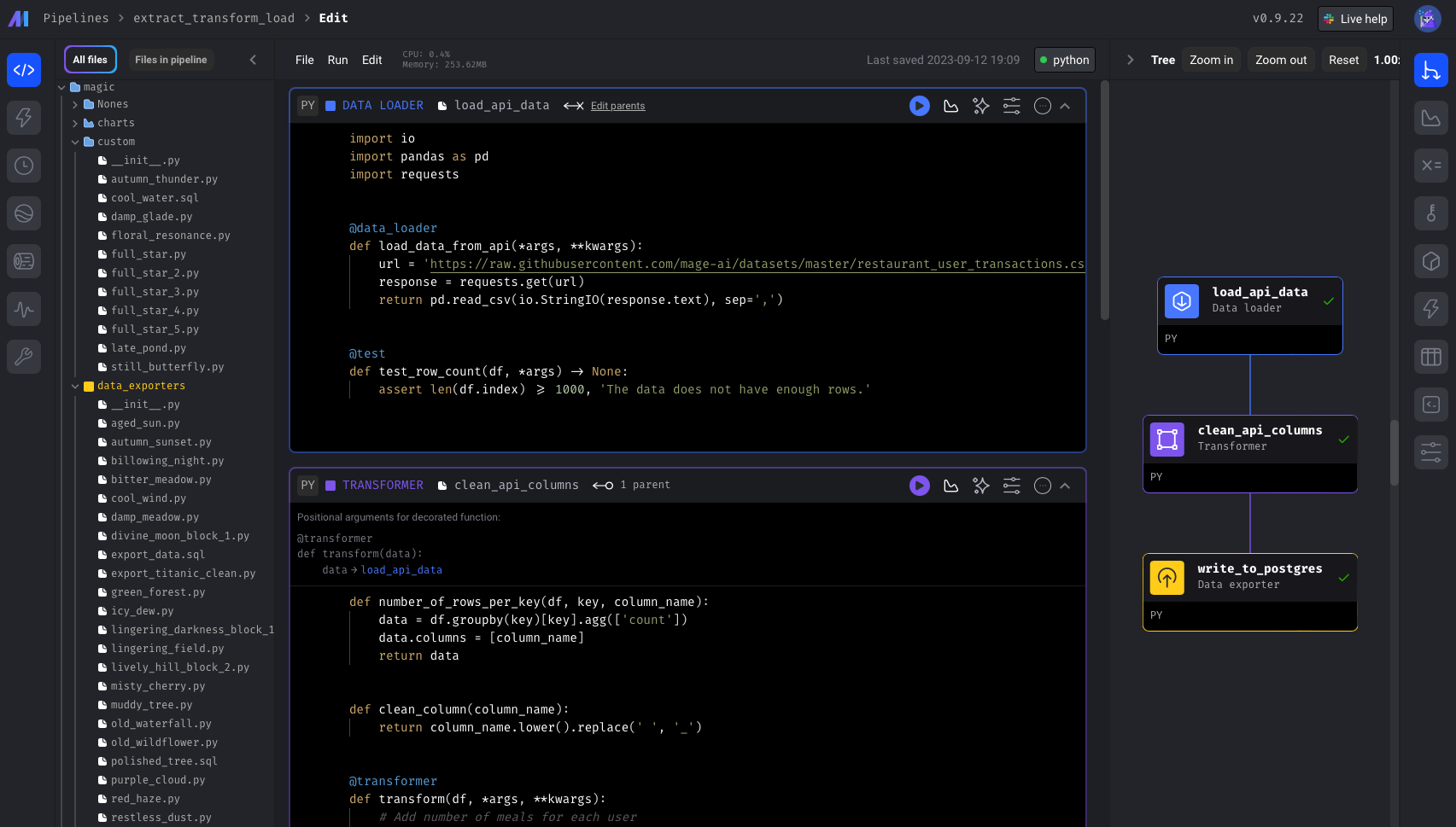 ```yaml theme={"system"}
blocks:
- downstream_blocks:
- select_columns
executor_type: local_python
language: python
name: load_data_from_file
type: data_loader
upstream_blocks: []
uuid: load_data_from_file
- downstream_blocks:
- export_to_file
executor_type: local_python
language: python
name: select_columns
type: transformer
upstream_blocks:
- load_data_from_file
uuid: select_columns
- downstream_blocks: []
executor_type: local_python
language: python
name: export_to_file
type: data_exporter
upstream_blocks:
- select_columns
uuid: export_to_file
name: etl_demo
type: python
uuid: etl_demo
```
## `metadata.yaml` sections
### Pipeline attributes
An array of blocks that are in the pipeline.
Unique name of the pipeline.
The type of pipeline. Currently available options are:
* `databricks`
* `integration`
* `pyspark`
* `python` (most common)
* `streaming`
Unique identifier of the pipeline. This UUID must be unique across all pipelines.
Optional description of what the pipeline does.
Pipeline level executor type. Supported values:
* `ecs`
* `gcp_cloud_run`
* `azure_container_instance`
* `k8s`
* `local_python` (most common)
* `pyspark`
Number of concurrent executors to run the pipeline. Used in streaming pipeline.
Optional configuration specific to the selected executor type.
Refer to the following documentation for executor-specific options:
* [`ecs`](/production/executors/aws)
* [`gcp_cloud_run`](/production/executors/gcp)
* [`azure_container_instance`](/production/executors/azure)
* [`k8s`](/production/executors/k8)
Spark-specific configuration for PySpark pipelines. Mirrors the keys you
would normally pass to `SparkConf` (e.g., `spark_master`, `executor_env`,
`spark_jars`).
Retry configuration at the pipeline level.
See [documentation](/orchestration/pipeline-runs/retrying-block-runs#3-pipeline-level-retry-config) for details.
Configuration for pipeline notification messages (e.g., on failure or success).
See [documentation](/observability/alerting/alerting-slack) for details.
Concurrency settings for block execution within the pipeline.
See [documentation](/design/data-pipeline-management#pipeline-level-concurrency) for details.
* `block_run_limit`: Maximum number of blocks that can run in parallel.
* `pipeline_run_limit`
* `pipeline_run_limit_all_triggers`
* `on_pipeline_run_limit_reached`
Whether to cache block output in memory during execution.
If true, runs all blocks in a single process or k8s pod.
Blocks that run after your main graph finishes (e.g., notifications, cleanup).
Same shape as items in `blocks`.
Conditional blocks that can short-circuit or branch execution. Same shape as
items in `blocks`.
Extension blocks (e.g., Great Expectations). Same shape as items in `blocks`.
Chart or reporting blocks shown in the pipeline UI. Same shape as items in
`blocks`.
Pipeline-level settings; currently supports `triggers.save_in_code_automatically`
to control whether new/updated triggers are persisted to YAML.
Key/value pairs available to the pipeline for templating. Useful for
environment-specific values that are not secrets.
Configure an external state store for pipeline runs.
Free-form labels to organize and search for pipelines.
Identifier for the user or process that created the pipeline.
Environment-specific overrides for any top-level pipeline field. Mage Pro only.
See [environment overrides](/extensibility/env-config/pipeline) for guidance.
### Block attributes
An array of block UUIDs that depend on this current block.
These downstream blocks will have access to this current block’s data output.
The method for running this block of code. Currently available options are:
* `ecs`
* `gcp_cloud_run`
* `azure_container_instance`
* `k8s`
* `local_python` (most common)
* `pyspark`
Optional configuration specific to the selected executor type.
Refer to the following documentation for executor-specific options:
* [`ecs`](/production/executors/aws)
* [`gcp_cloud_run`](/production/executors/gcp)
* [`azure_container_instance`](/production/executors/azure)
* [`k8s`](/production/executors/k8)
Programming language used by the block. Supported values:
* `python` (most common)
* `r`
* `sql`
* `yaml`
Unique name of the block.
The type of block. Currently available options are:
* `chart`
* `custom` (most common)
* `data_exporter`
* `data_loader`
* `dbt`
* `scratchpad`
* `sensor`
* `transformer`
The type of block will determine which folder it needs to be in. For example, if the block `type`
is `data_loader`, then the file must be in the `[project_name]/data_loaders/` folder. It can be
nested in any number of subfolders.
An array of block UUIDs that this current block depends on.
These upstream blocks will pass its data output to this current block.
Unique identifier of the block. This UUID must be unique within the current pipeline. The UUID
corresponds to the name of the file for this block.
For example, if the UUID is `load_data` and the `language` is `python`, then the file name
will be `load_data.py`.
Optional HEX color used to visually organize blocks in the UI.
Block-specific configuration. For integrations or dbt blocks this mirrors the
configuration visible in the block settings panel.
Markdown content rendered in the block’s documentation tab.
Optional priority for scheduling blocks when multiple are runnable.
Retry configuration at the block level.
See [documentation](/orchestration/pipeline-runs/retrying-block-runs#2-block-level-retry-config) for details.
Labels applied to the block for organization and filtering.
Maximum execution time for the block in seconds.
```yaml theme={"system"}
blocks:
- downstream_blocks:
- select_columns
executor_type: local_python
language: python
name: load_data_from_file
type: data_loader
upstream_blocks: []
uuid: load_data_from_file
- downstream_blocks:
- export_to_file
executor_type: local_python
language: python
name: select_columns
type: transformer
upstream_blocks:
- load_data_from_file
uuid: select_columns
- downstream_blocks: []
executor_type: local_python
language: python
name: export_to_file
type: data_exporter
upstream_blocks:
- select_columns
uuid: export_to_file
name: etl_demo
type: python
uuid: etl_demo
```
## `metadata.yaml` sections
### Pipeline attributes
An array of blocks that are in the pipeline.
Unique name of the pipeline.
The type of pipeline. Currently available options are:
* `databricks`
* `integration`
* `pyspark`
* `python` (most common)
* `streaming`
Unique identifier of the pipeline. This UUID must be unique across all pipelines.
Optional description of what the pipeline does.
Pipeline level executor type. Supported values:
* `ecs`
* `gcp_cloud_run`
* `azure_container_instance`
* `k8s`
* `local_python` (most common)
* `pyspark`
Number of concurrent executors to run the pipeline. Used in streaming pipeline.
Optional configuration specific to the selected executor type.
Refer to the following documentation for executor-specific options:
* [`ecs`](/production/executors/aws)
* [`gcp_cloud_run`](/production/executors/gcp)
* [`azure_container_instance`](/production/executors/azure)
* [`k8s`](/production/executors/k8)
Spark-specific configuration for PySpark pipelines. Mirrors the keys you
would normally pass to `SparkConf` (e.g., `spark_master`, `executor_env`,
`spark_jars`).
Retry configuration at the pipeline level.
See [documentation](/orchestration/pipeline-runs/retrying-block-runs#3-pipeline-level-retry-config) for details.
Configuration for pipeline notification messages (e.g., on failure or success).
See [documentation](/observability/alerting/alerting-slack) for details.
Concurrency settings for block execution within the pipeline.
See [documentation](/design/data-pipeline-management#pipeline-level-concurrency) for details.
* `block_run_limit`: Maximum number of blocks that can run in parallel.
* `pipeline_run_limit`
* `pipeline_run_limit_all_triggers`
* `on_pipeline_run_limit_reached`
Whether to cache block output in memory during execution.
If true, runs all blocks in a single process or k8s pod.
Blocks that run after your main graph finishes (e.g., notifications, cleanup).
Same shape as items in `blocks`.
Conditional blocks that can short-circuit or branch execution. Same shape as
items in `blocks`.
Extension blocks (e.g., Great Expectations). Same shape as items in `blocks`.
Chart or reporting blocks shown in the pipeline UI. Same shape as items in
`blocks`.
Pipeline-level settings; currently supports `triggers.save_in_code_automatically`
to control whether new/updated triggers are persisted to YAML.
Key/value pairs available to the pipeline for templating. Useful for
environment-specific values that are not secrets.
Configure an external state store for pipeline runs.
Free-form labels to organize and search for pipelines.
Identifier for the user or process that created the pipeline.
Environment-specific overrides for any top-level pipeline field. Mage Pro only.
See [environment overrides](/extensibility/env-config/pipeline) for guidance.
### Block attributes
An array of block UUIDs that depend on this current block.
These downstream blocks will have access to this current block’s data output.
The method for running this block of code. Currently available options are:
* `ecs`
* `gcp_cloud_run`
* `azure_container_instance`
* `k8s`
* `local_python` (most common)
* `pyspark`
Optional configuration specific to the selected executor type.
Refer to the following documentation for executor-specific options:
* [`ecs`](/production/executors/aws)
* [`gcp_cloud_run`](/production/executors/gcp)
* [`azure_container_instance`](/production/executors/azure)
* [`k8s`](/production/executors/k8)
Programming language used by the block. Supported values:
* `python` (most common)
* `r`
* `sql`
* `yaml`
Unique name of the block.
The type of block. Currently available options are:
* `chart`
* `custom` (most common)
* `data_exporter`
* `data_loader`
* `dbt`
* `scratchpad`
* `sensor`
* `transformer`
The type of block will determine which folder it needs to be in. For example, if the block `type`
is `data_loader`, then the file must be in the `[project_name]/data_loaders/` folder. It can be
nested in any number of subfolders.
An array of block UUIDs that this current block depends on.
These upstream blocks will pass its data output to this current block.
Unique identifier of the block. This UUID must be unique within the current pipeline. The UUID
corresponds to the name of the file for this block.
For example, if the UUID is `load_data` and the `language` is `python`, then the file name
will be `load_data.py`.
Optional HEX color used to visually organize blocks in the UI.
Block-specific configuration. For integrations or dbt blocks this mirrors the
configuration visible in the block settings panel.
Markdown content rendered in the block’s documentation tab.
Optional priority for scheduling blocks when multiple are runnable.
Retry configuration at the block level.
See [documentation](/orchestration/pipeline-runs/retrying-block-runs#2-block-level-retry-config) for details.
Labels applied to the block for organization and filtering.
Maximum execution time for the block in seconds.