> ## Documentation Index
> Fetch the complete documentation index at: https://docs.mage.ai/llms.txt
> Use this file to discover all available pages before exploring further.

# Compute management for Spark

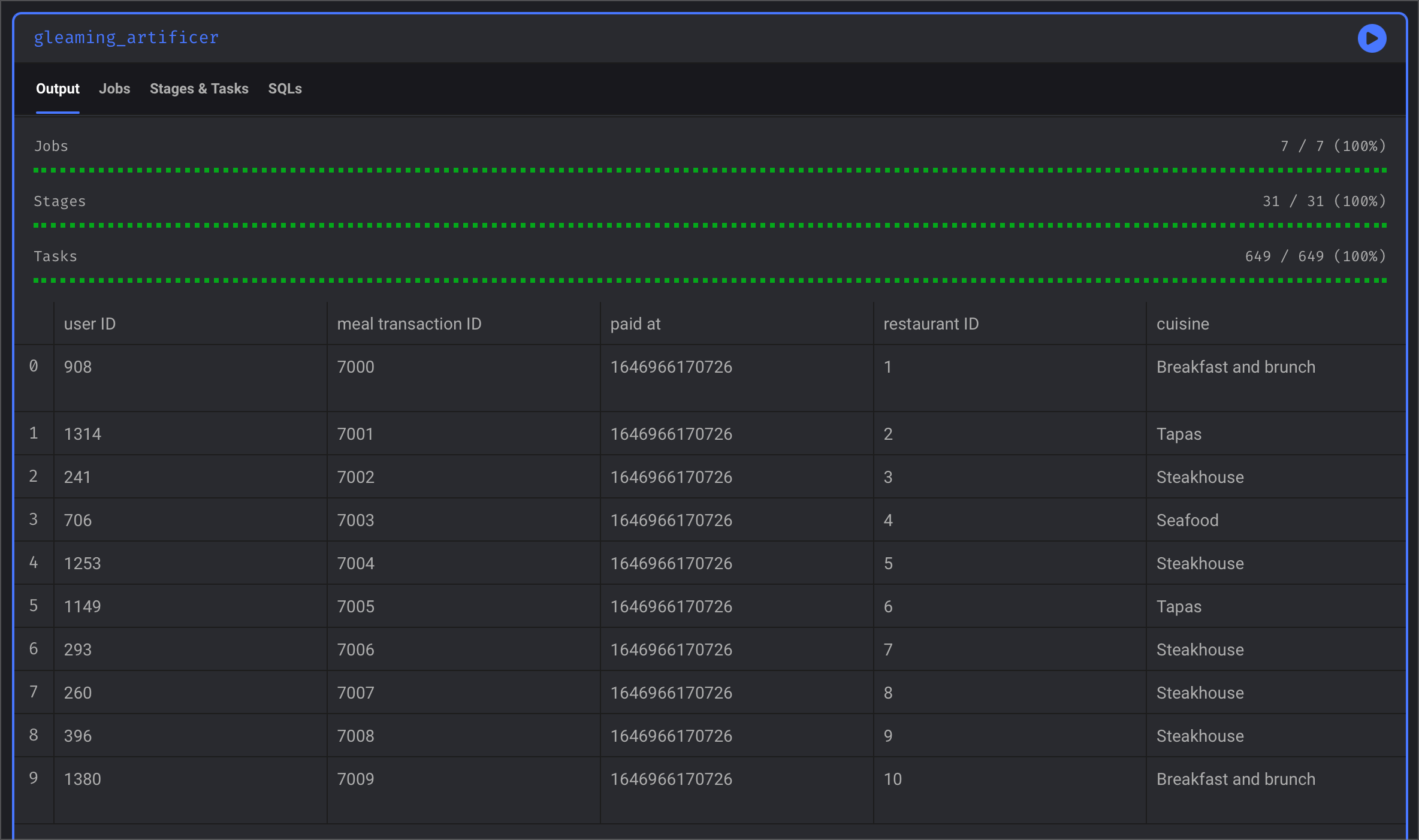
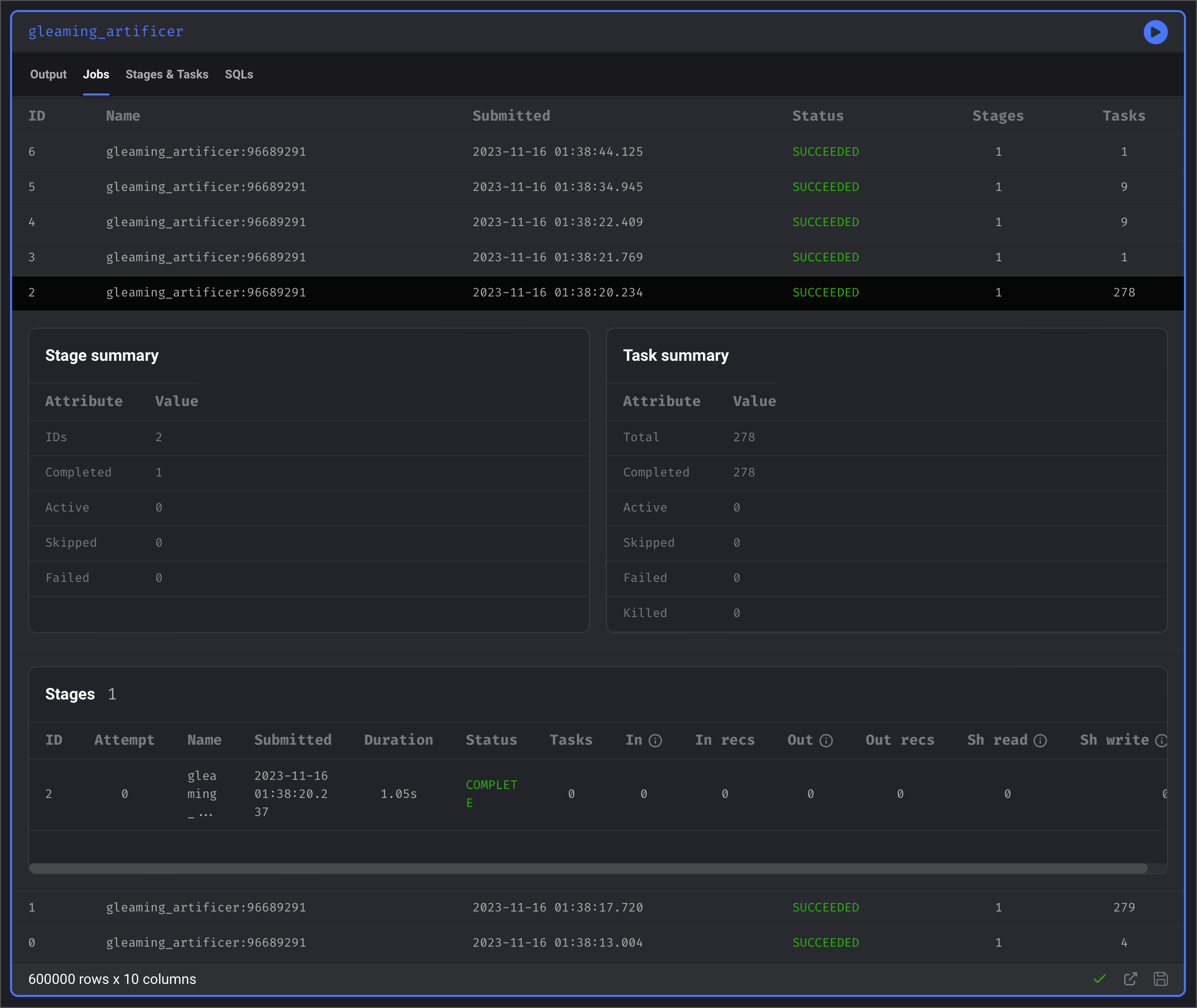
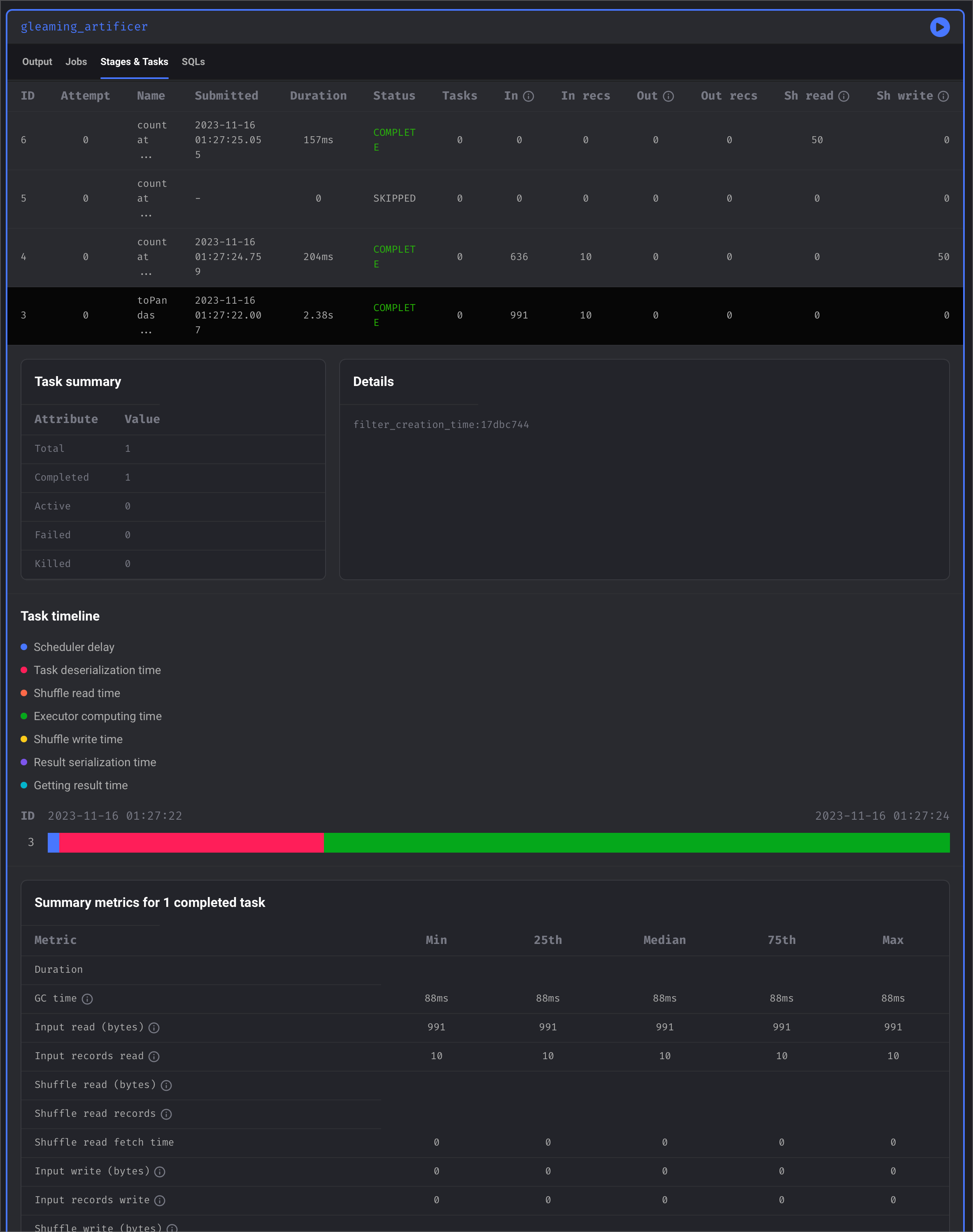
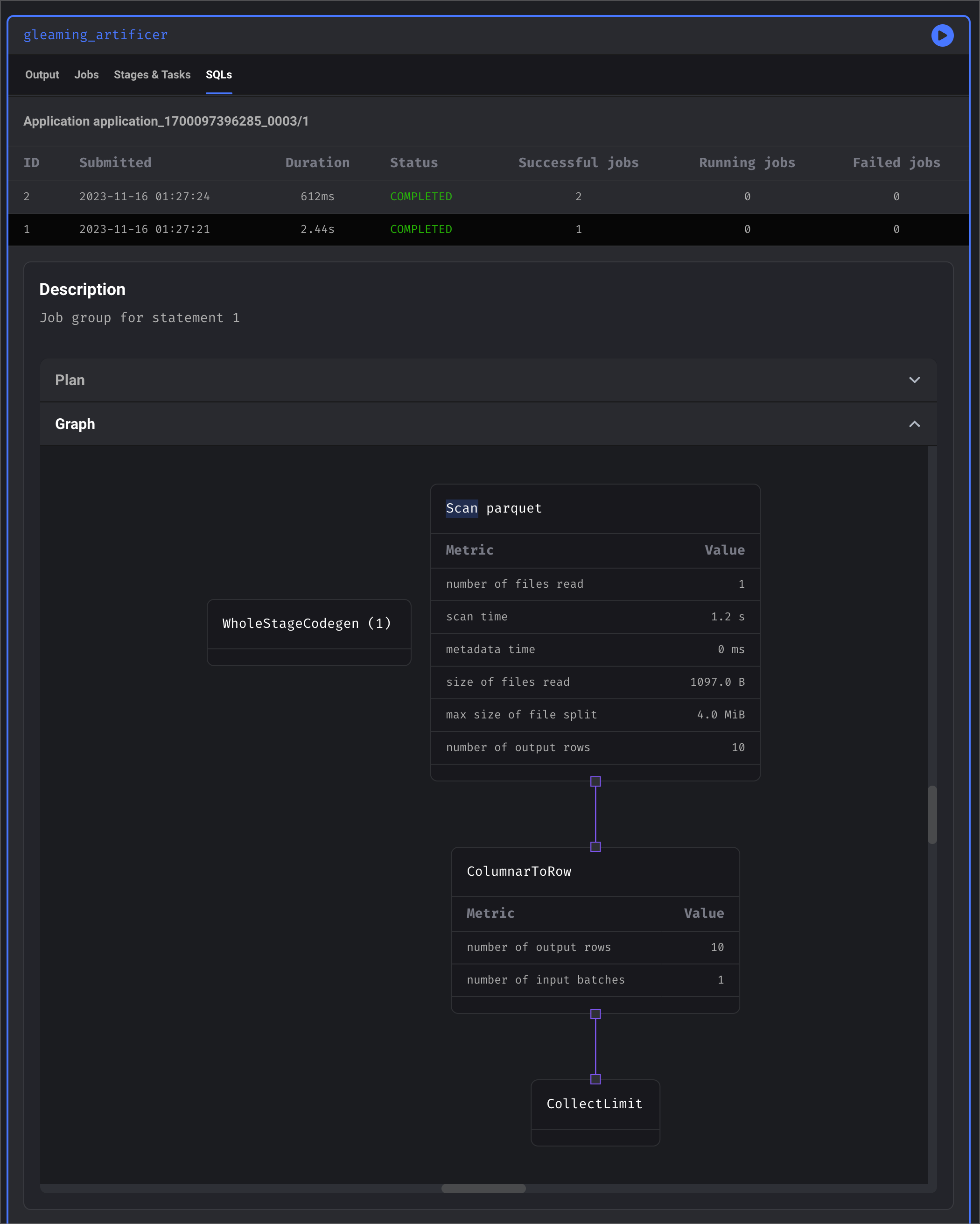
> Manage your Spark compute resources and track Spark pipeline execution metrics.

export const urls = {
  chat: 'https://www.mage.ai/chat',
  oss: 'https://www.mage.ai/oss',
  pro: 'https://cloud.mage.ai/sign-up'
};

export const ProOnly = ({button = 'Get started for free', description = 'Try our fully managed solution to access this advanced feature.', source = 'documentation', title = 'Only in Mage Pro.'}) => <a href={`https://cloud.mage.ai/sign-up?source=${source}`} className="block my-4 px-5 py-4 overflow-hidden rounded-xl flex gap-3 border border-emerald-500/20 bg-emerald-50/50 dark:border-emerald-500/30 dark:bg-emerald-500/10" target="_blank">
    <div style={{
  display: 'flex',
  alignItems: 'center',
  width: '100%'
}}>
      <div className="text-sm prose min-w-0 text-emerald-900 dark:text-emerald-200" style={{
  flex: 1
}}>
        {title}
        <p className="normal">{description}</p>
      </div>

      <div> </div>

      <div>
        <ProButton label={button} href={`https://cloud.mage.ai/sign-up?source=${source}`} />
      </div>
    </div>
  </a>;

export const ProButton = ({href, label = 'Get started with Mage Pro for free', source = 'documentation'}) => <div style={{
  height: 32,
  position: 'relative'
}}>
    <a target="_blank" className="group px-4 py-1.5 relative inline-flex items-center text-sm font-medium rounded-full" href={href ?? `https://cloud.mage.ai/sign-up?source=${source}`}>
      <span className="absolute inset-0 bg-primary-dark dark:bg-primary-light/10 border-primary-light/30 rounded-full dark:border group-hover:opacity-[0.9] dark:group-hover:border-primary-light/60">
      </span>

      <div className="mr-0.5 space-x-2.5 flex items-center">
        <span class="z-10 text-white dark:text-primary-light">
          {label}
        </span>

        <svg width="3" height="24" viewBox="0 -9 3 24" class="h-5 rotate-0 overflow-visible text-white/90 dark:text-primary-light">
          <path d="M0 0L3 3L0 6" fill="none" stroke="currentColor" stroke-width="1.5" stroke-linecap="round"></path>
        </svg>
      </div>
    </a>
  </div>;

<ProOnly source="compute-management" />

<Steps>
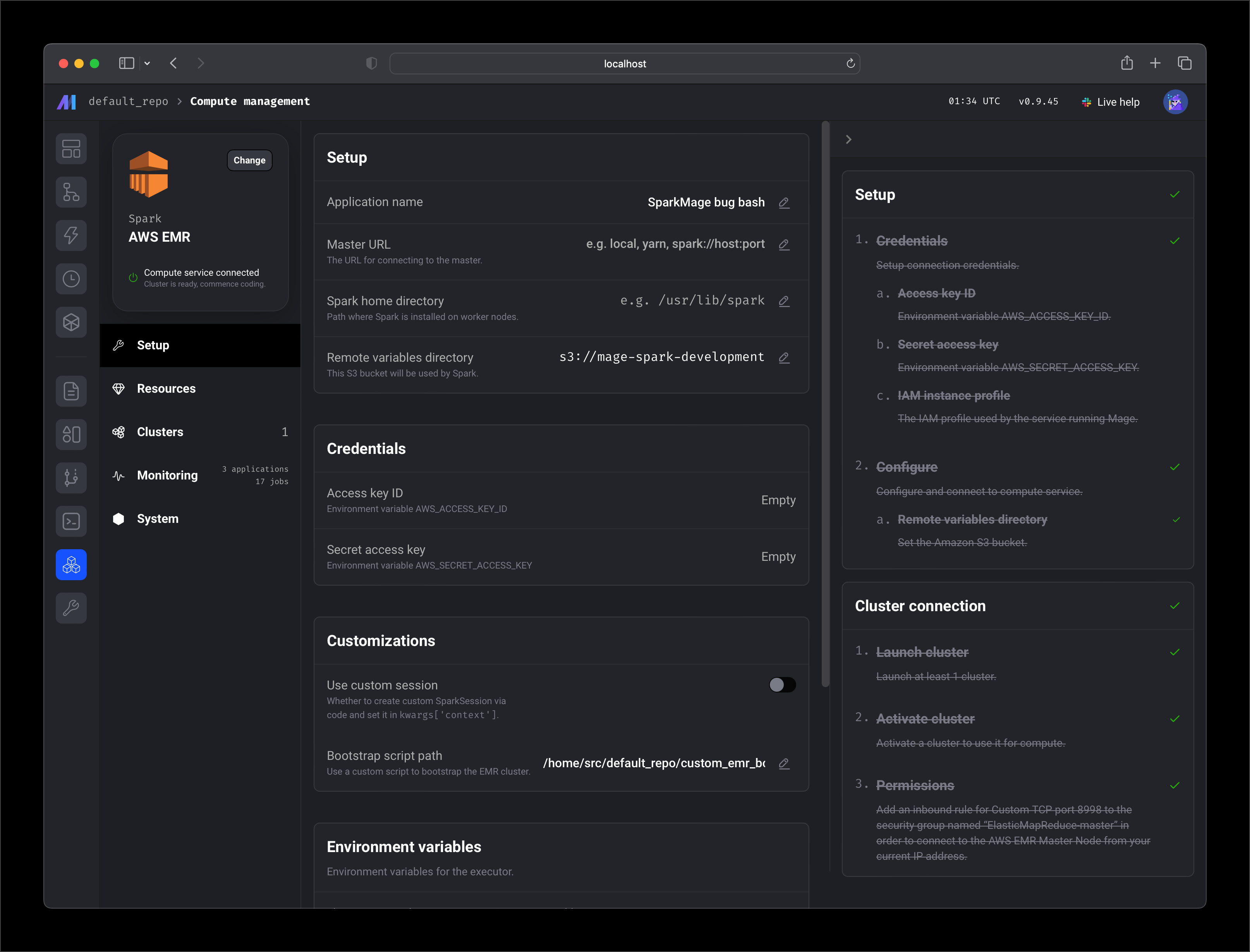
  <Step title="Setup">
    <Frame>
      <img src="https://mage-ai.github.io/assets/pro/features/compute/management/setup.png" />
    </Frame>
  </Step>

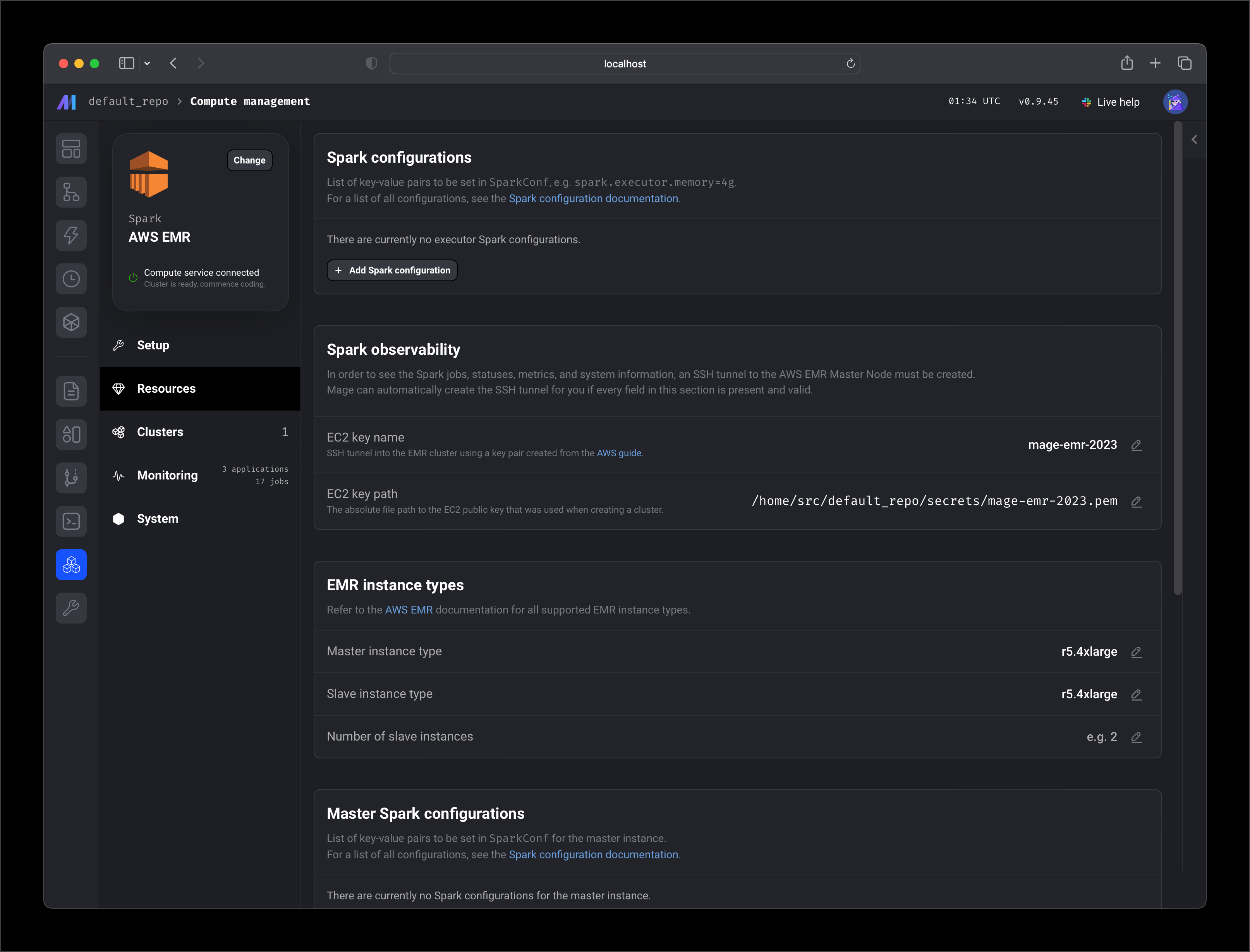
  <Step title="Resources">
    <Frame>
      <img src="https://mage-ai.github.io/assets/pro/features/compute/management/resources.png" />
    </Frame>
  </Step>

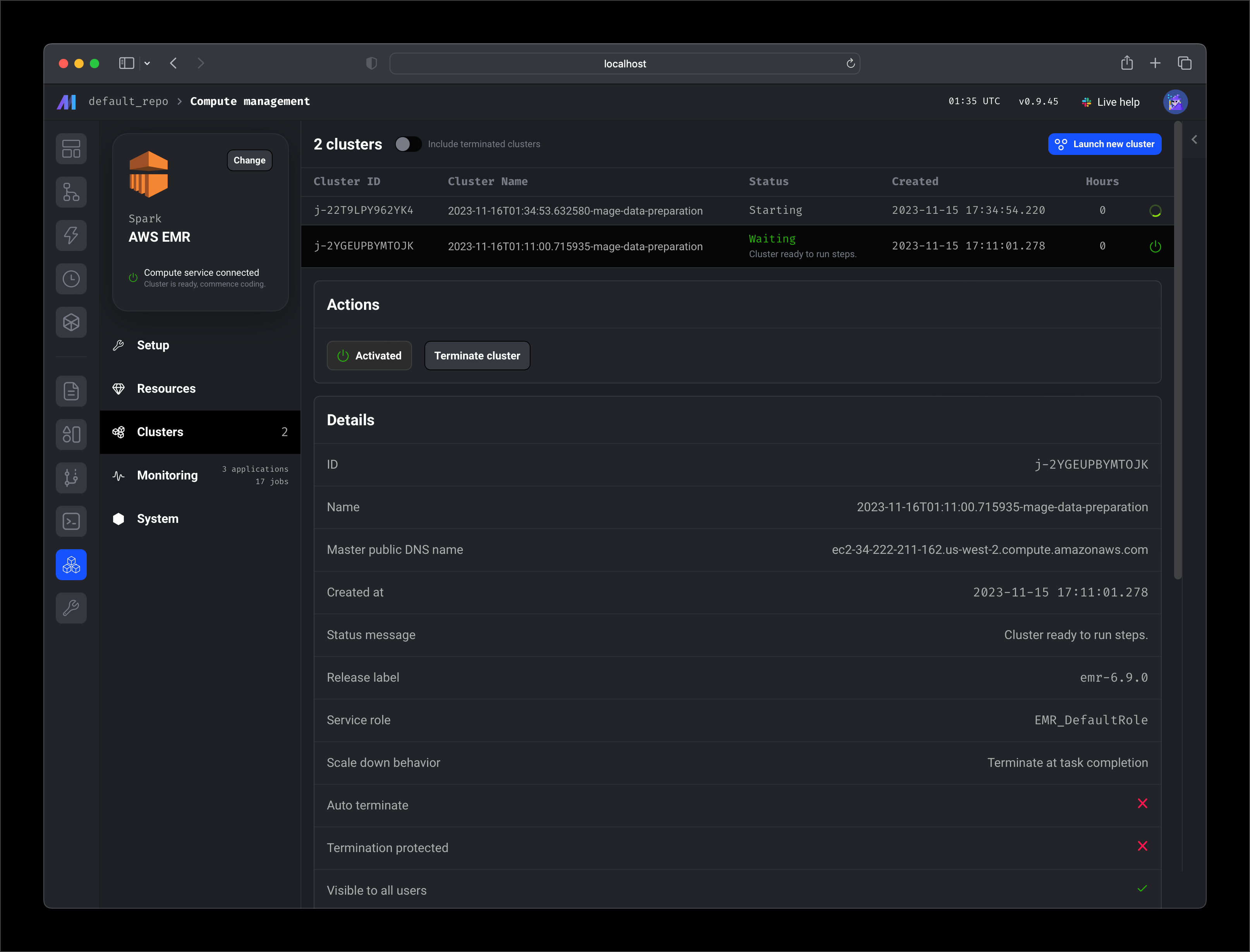
  <Step title="Clusters">
    <Frame>
      <img src="https://mage-ai.github.io/assets/pro/features/compute/management/clusters.png" />
    </Frame>
  </Step>

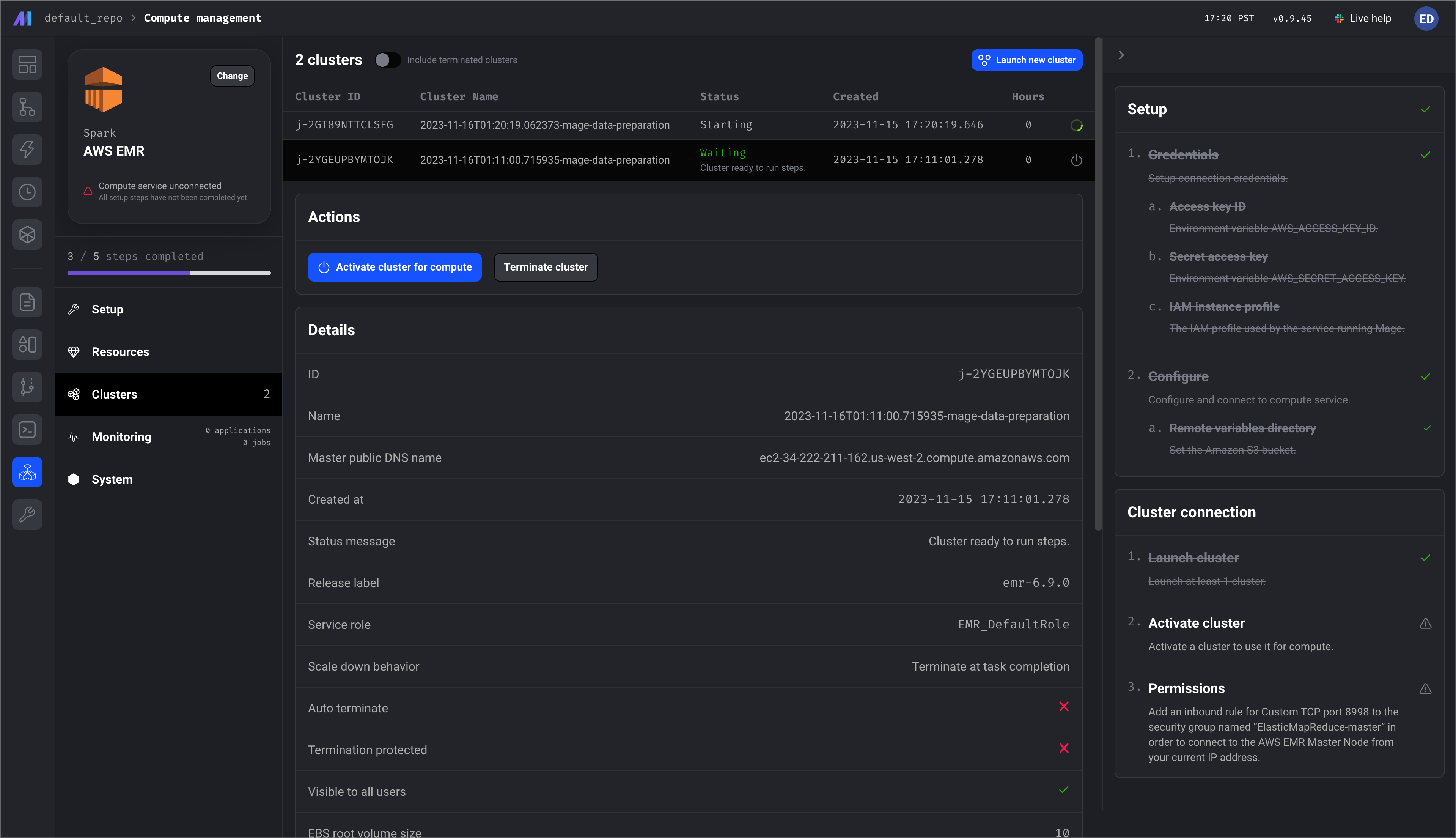
  <Step title="Manage">
    <Frame>
      <img src="https://mage-ai.github.io/assets/pro/features/compute/management/clusters-detail.png" />
    </Frame>
  </Step>

  <Step title="Monitoring">
    <Frame>
      <img src="https://mage-ai.github.io/assets/pro/features/compute/management/monitoring-jobs-stages-detail.png" />
    </Frame>
  </Step>

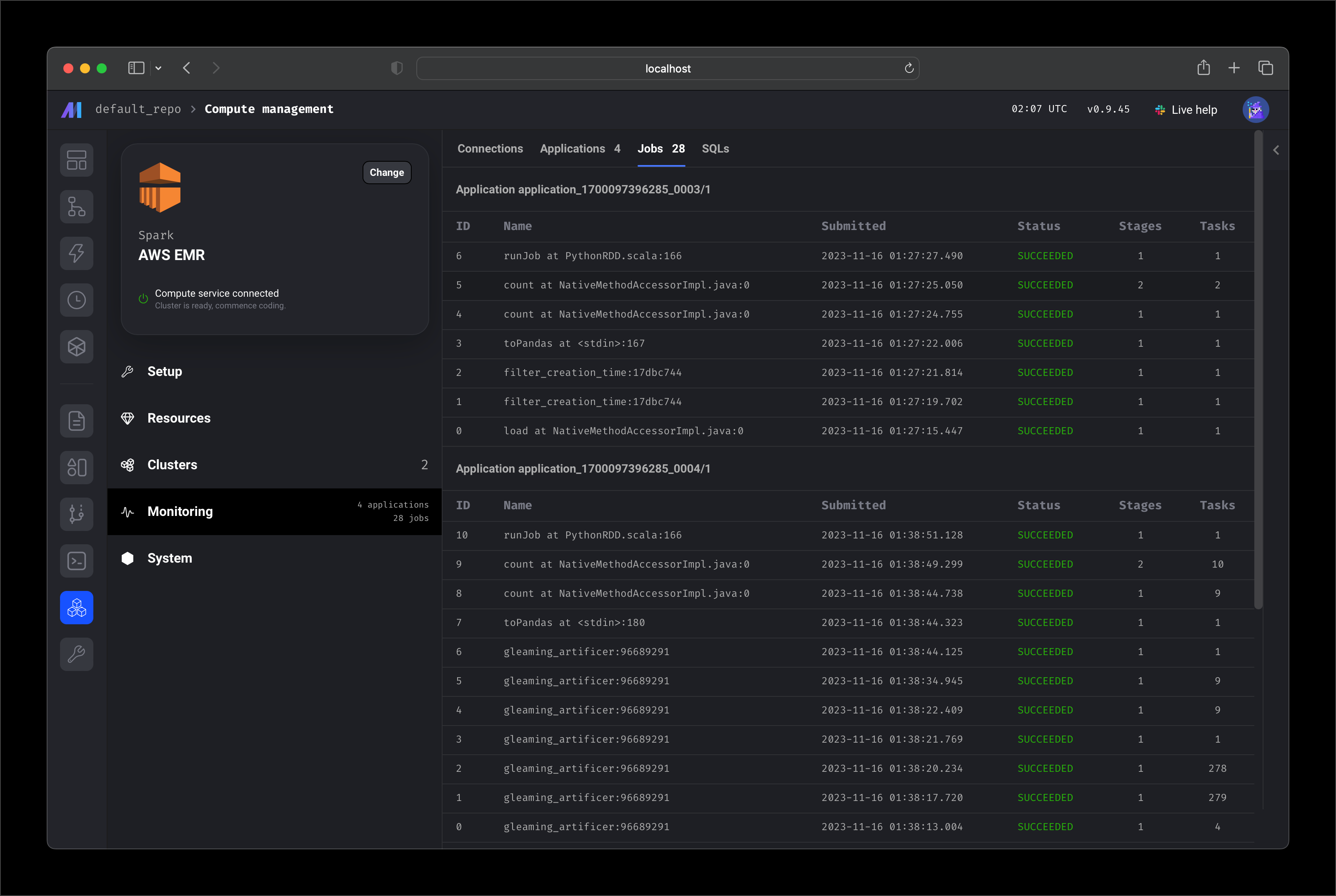
  <Step title="Monitoring jobs">
    <Frame>
      <img src="https://mage-ai.github.io/assets/pro/features/compute/management/monitoring-jobs.png" />
    </Frame>
  </Step>

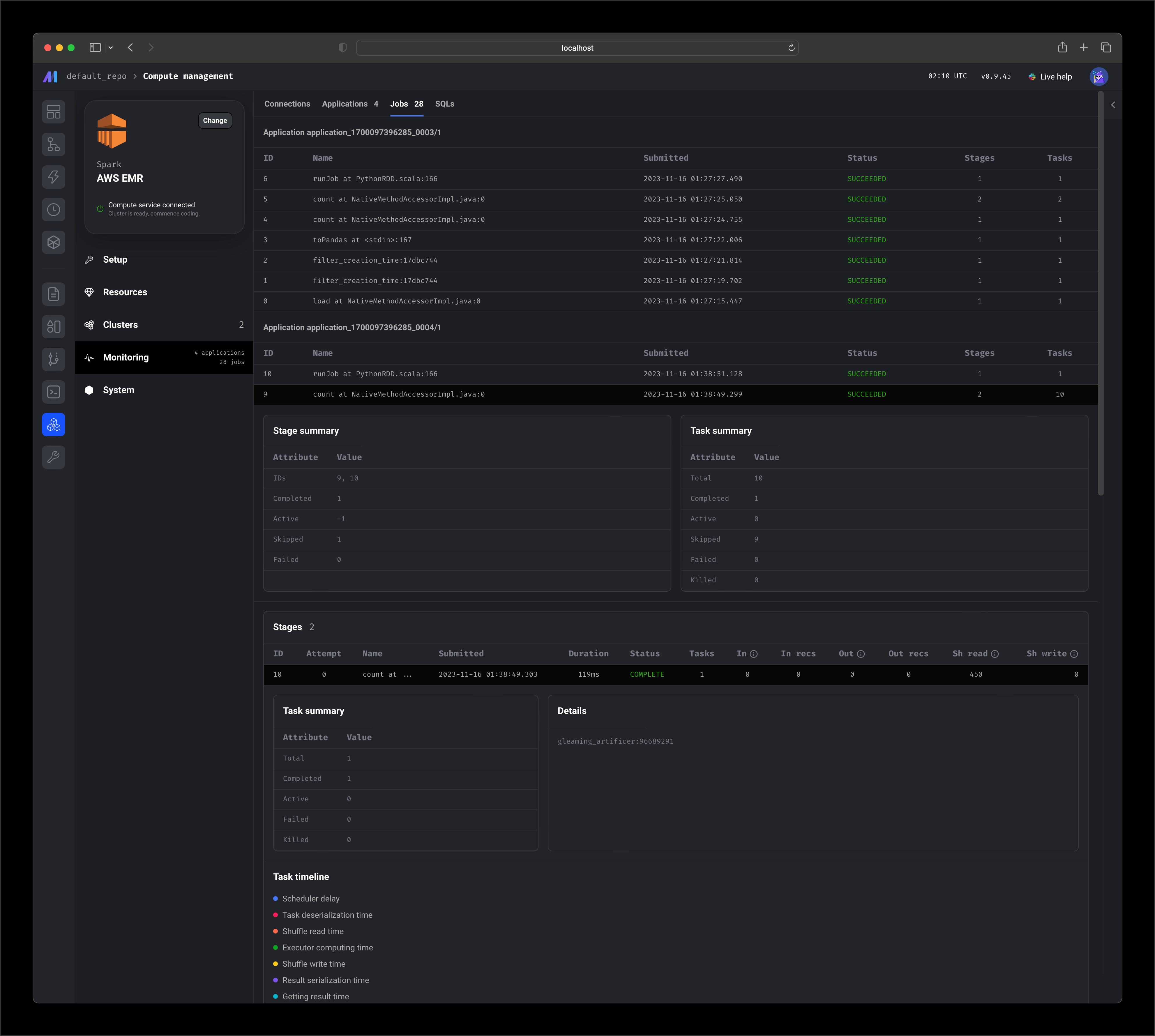
  <Step title="Monitor job stages">
    <Frame>
      <img src="https://mage-ai.github.io/assets/pro/features/compute/management/monitoring-stages.png" />
    </Frame>
  </Step>

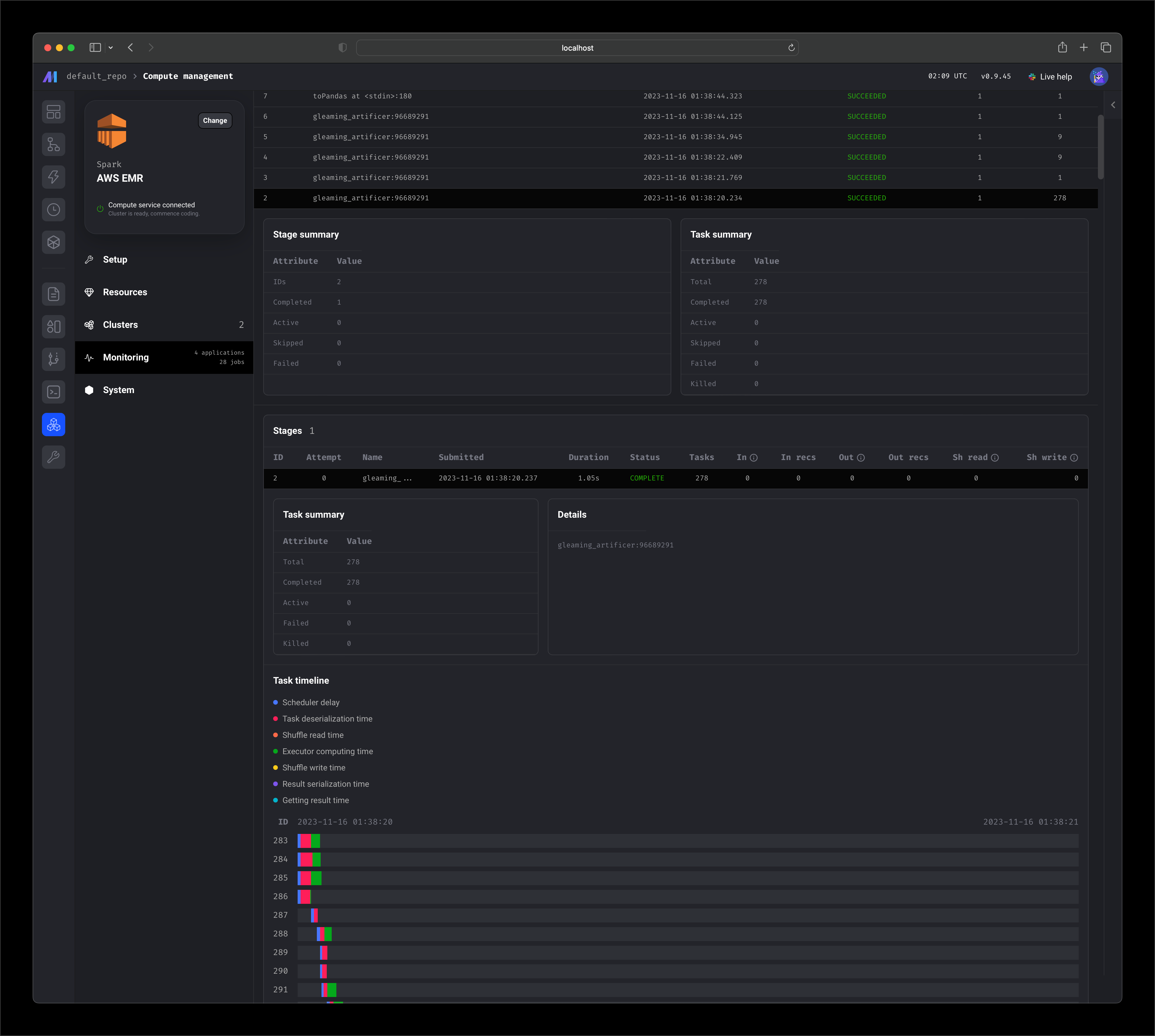
  <Step title="Monitoring job stage tasks">
    <Frame>
      <img src="https://mage-ai.github.io/assets/pro/features/compute/management/monitoring-jobs-detail.png" />
    </Frame>
  </Step>

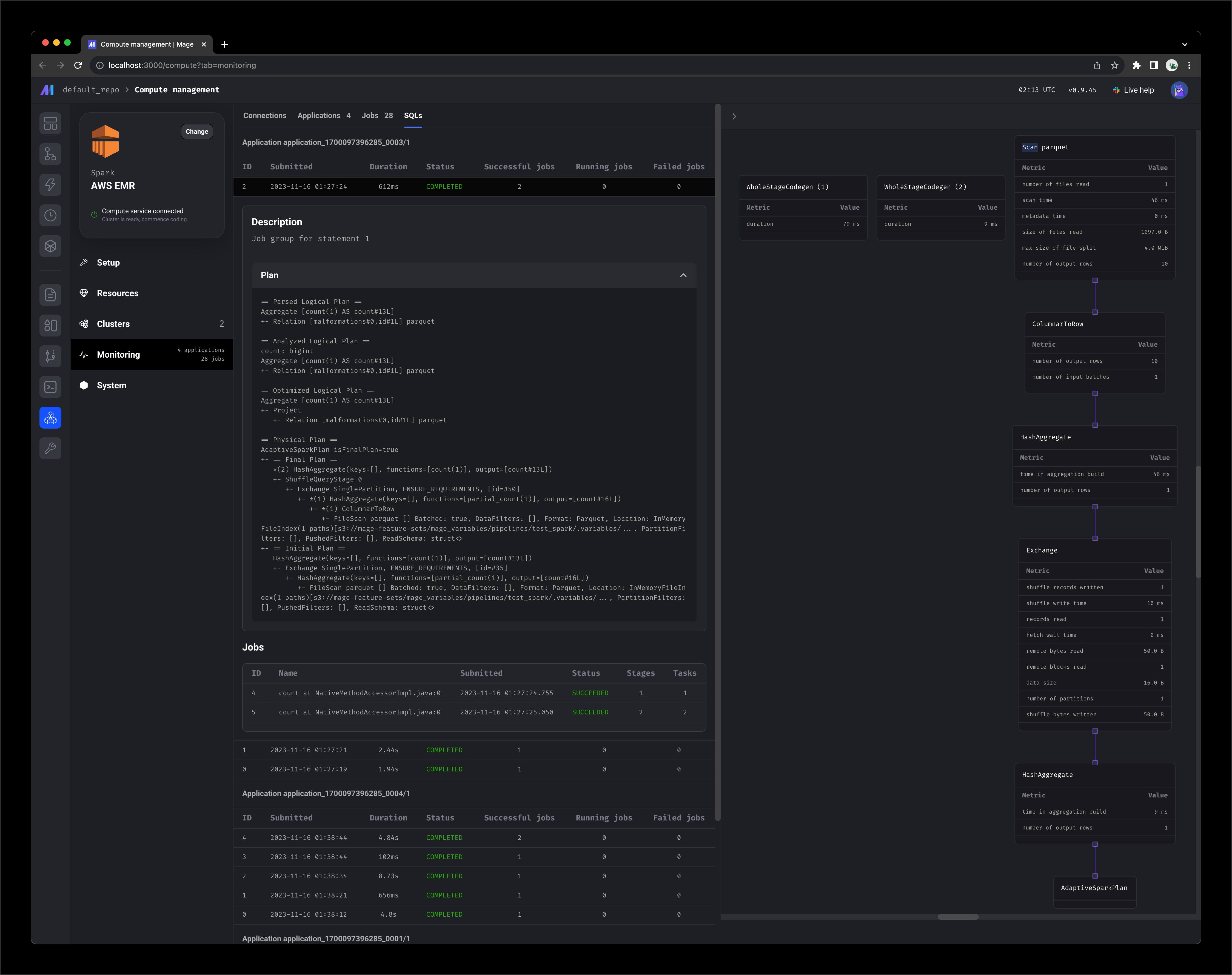
  <Step title="Monitor SQL execution">
    <Frame>
      <img src="https://mage-ai.github.io/assets/pro/features/compute/management/monitoring-sql.png" />
    </Frame>
  </Step>

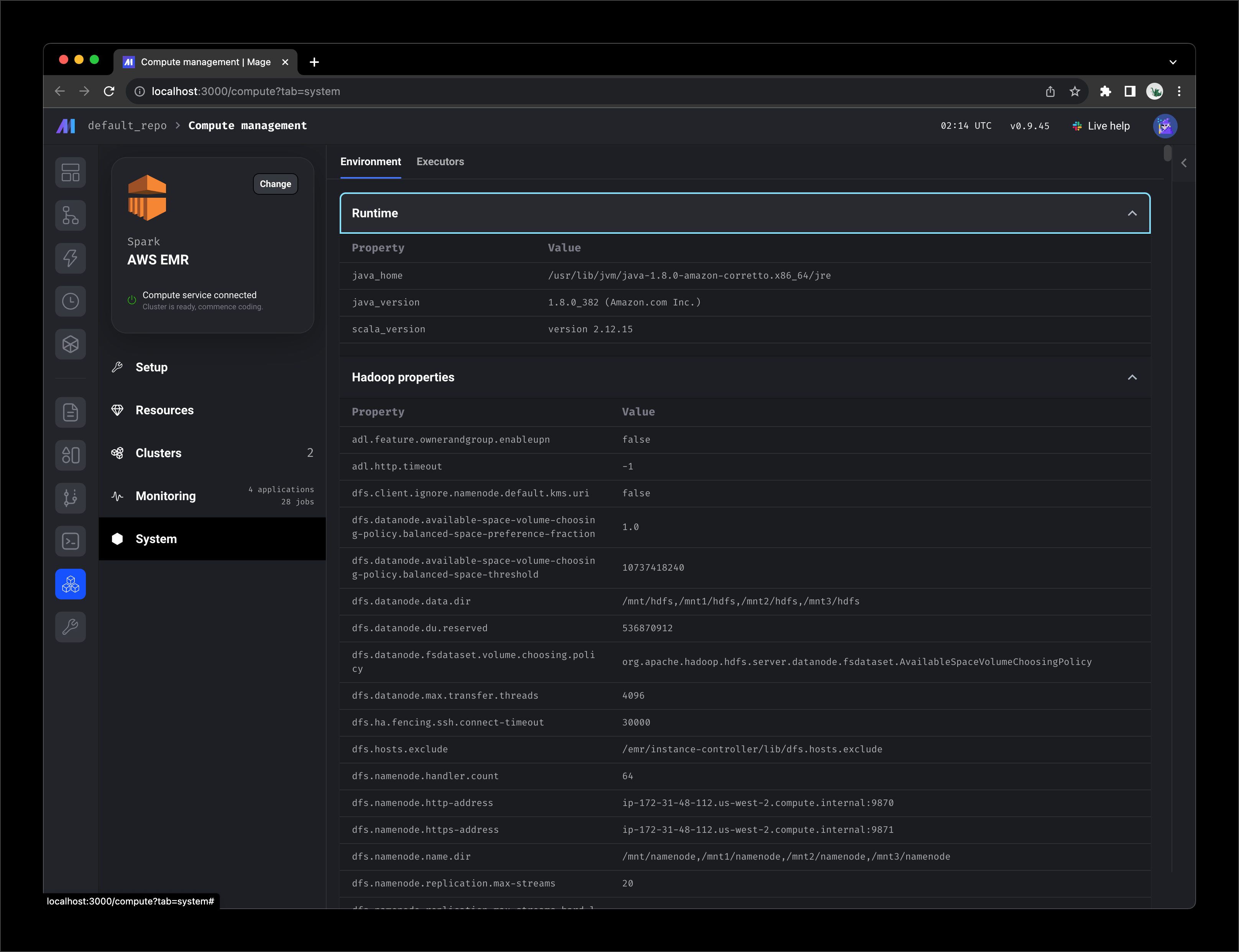
  <Step title="System">
    <Frame>
      <img src="https://mage-ai.github.io/assets/pro/features/compute/management/monitoring-system.png" />
    </Frame>
  </Step>

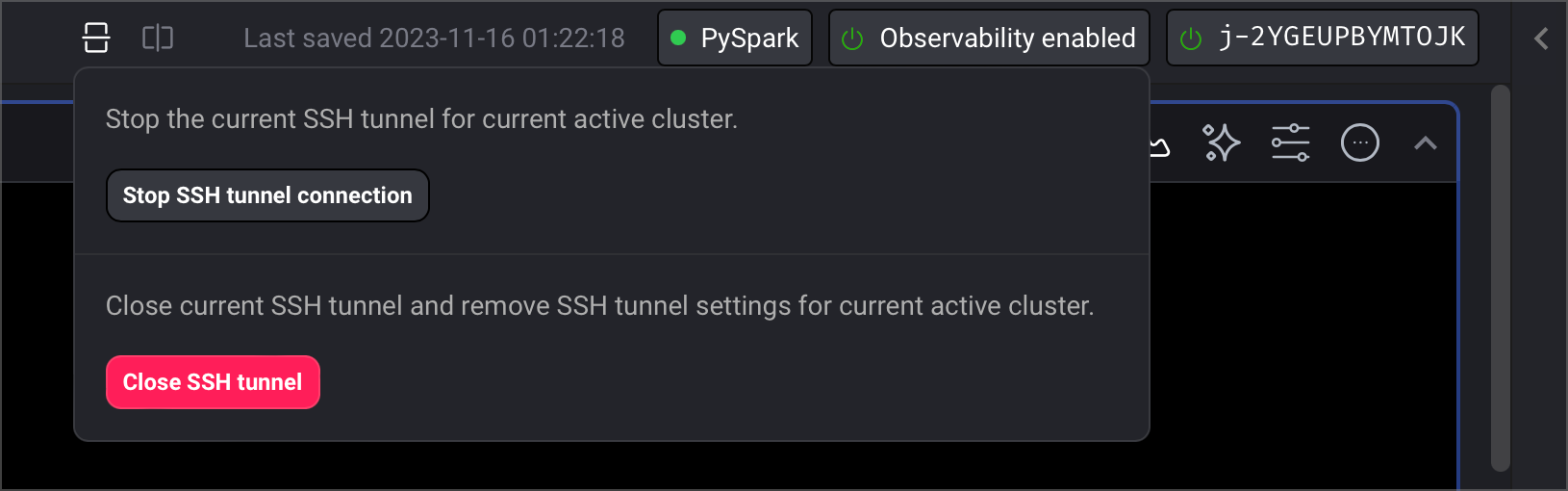
  <Step title="Authenticate">
    <Frame>
      <img src="https://mage-ai.github.io/assets/pro/features/compute/management/ssh-tunnel.png" />
    </Frame>
  </Step>

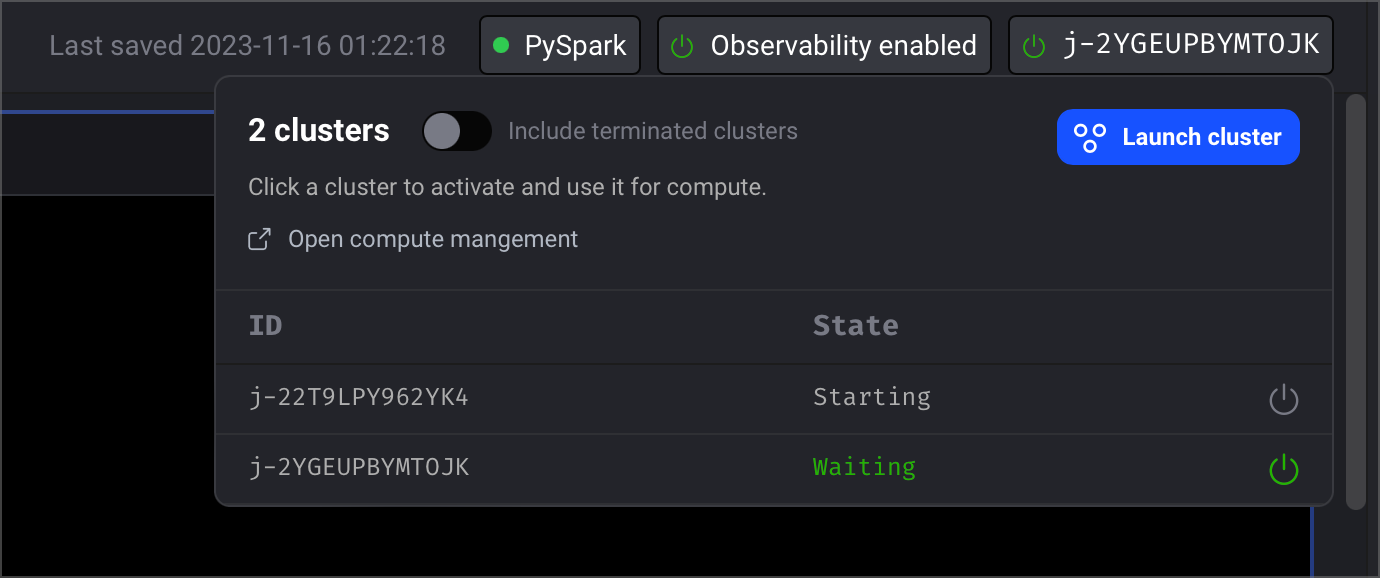
  <Step title="Connect to remote cluster">
    <Frame>
      <img src="https://mage-ai.github.io/assets/pro/features/compute/management/pipeline-subheader.png" />
    </Frame>
  </Step>

  <Step title="Monitor block execution">
    <Frame>
      <img src="https://mage-ai.github.io/assets/pro/features/compute/management/block-tabs.png" />
    </Frame>
  </Step>

  <Step title="Block execution jobs">
    <Frame>
      <img src="https://mage-ai.github.io/assets/pro/features/compute/management/block-jobs.png" />
    </Frame>
  </Step>

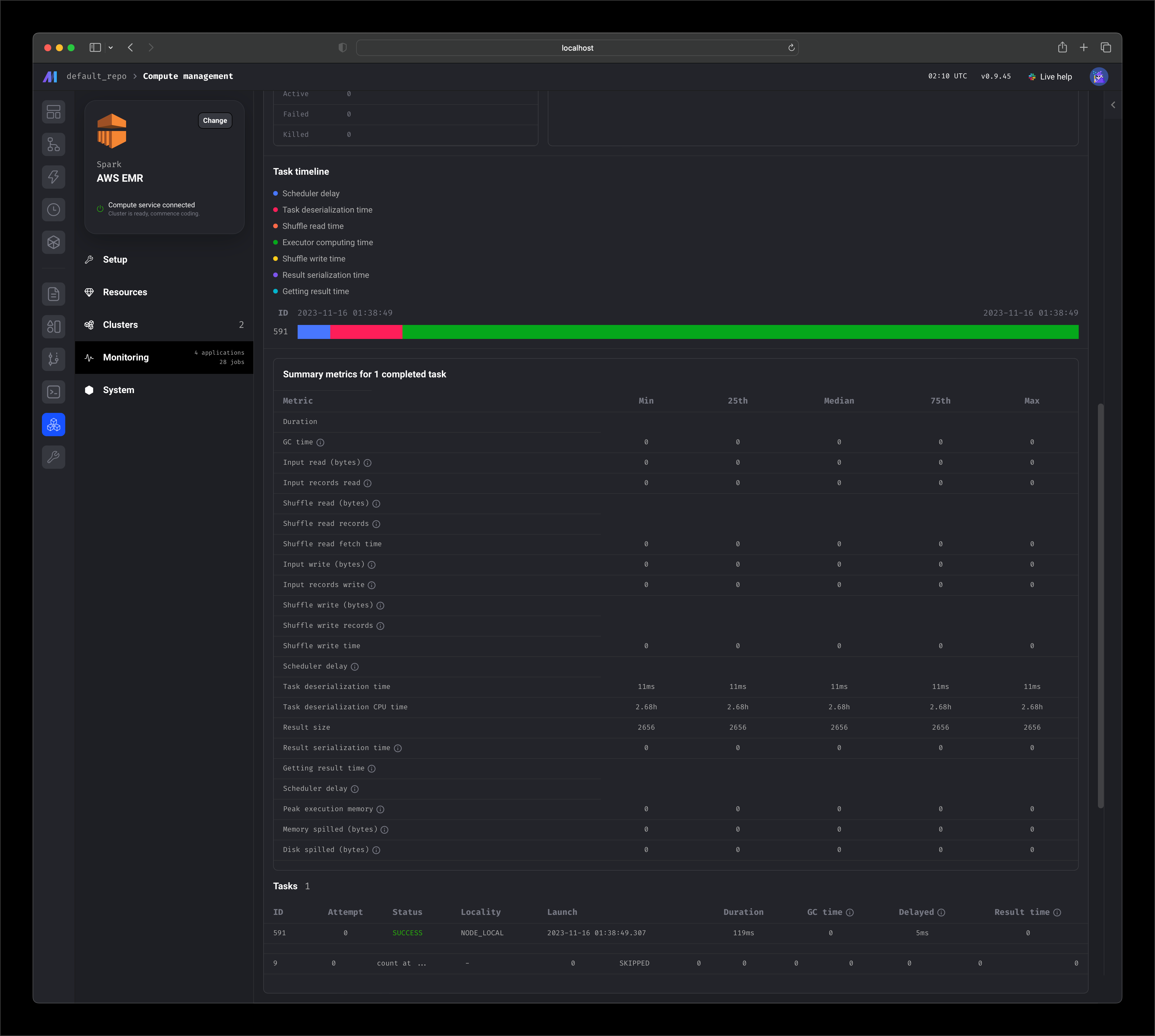
  <Step title="Block execution stages and tasks">
    <Frame>
      <img src="https://mage-ai.github.io/assets/pro/features/compute/management/block-stages.png" />
    </Frame>
  </Step>

  <Step title="Block execution SQL">
    <Frame>
      <img src="https://mage-ai.github.io/assets/pro/features/compute/management/block-sql.png" />
    </Frame>
  </Step>
</Steps>

***

<Card title="Get started for free" href={`${urls.pro}?source=cloud-infrastructure`}>
  <img src="https://mage-ai.github.io/assets/pro/banner-light.png" className="hidden dark:block" noZoom />

  <img src="https://mage-ai.github.io/assets/pro/banner-dark.png" className="block dark:hidden" noZoom />

  <br />

  A fully managed service, where we maintain the infrastructure, guarantee uptime,
  automatically scale your workloads to handle any volume of pipeline runs,
  automatically upgrade new versions of Mage Pro only features,
  monitor your production pipelines, and provide enterprise level support.
</Card>