> ## Documentation Index
> Fetch the complete documentation index at: https://docs.mage.ai/llms.txt
> Use this file to discover all available pages before exploring further.
# Pipeline sidekick
> Have you ever wished you had a sidekick like Batman and Robin? Now you have one.
The Pipeline sidekick appears when you edit a pipeline.
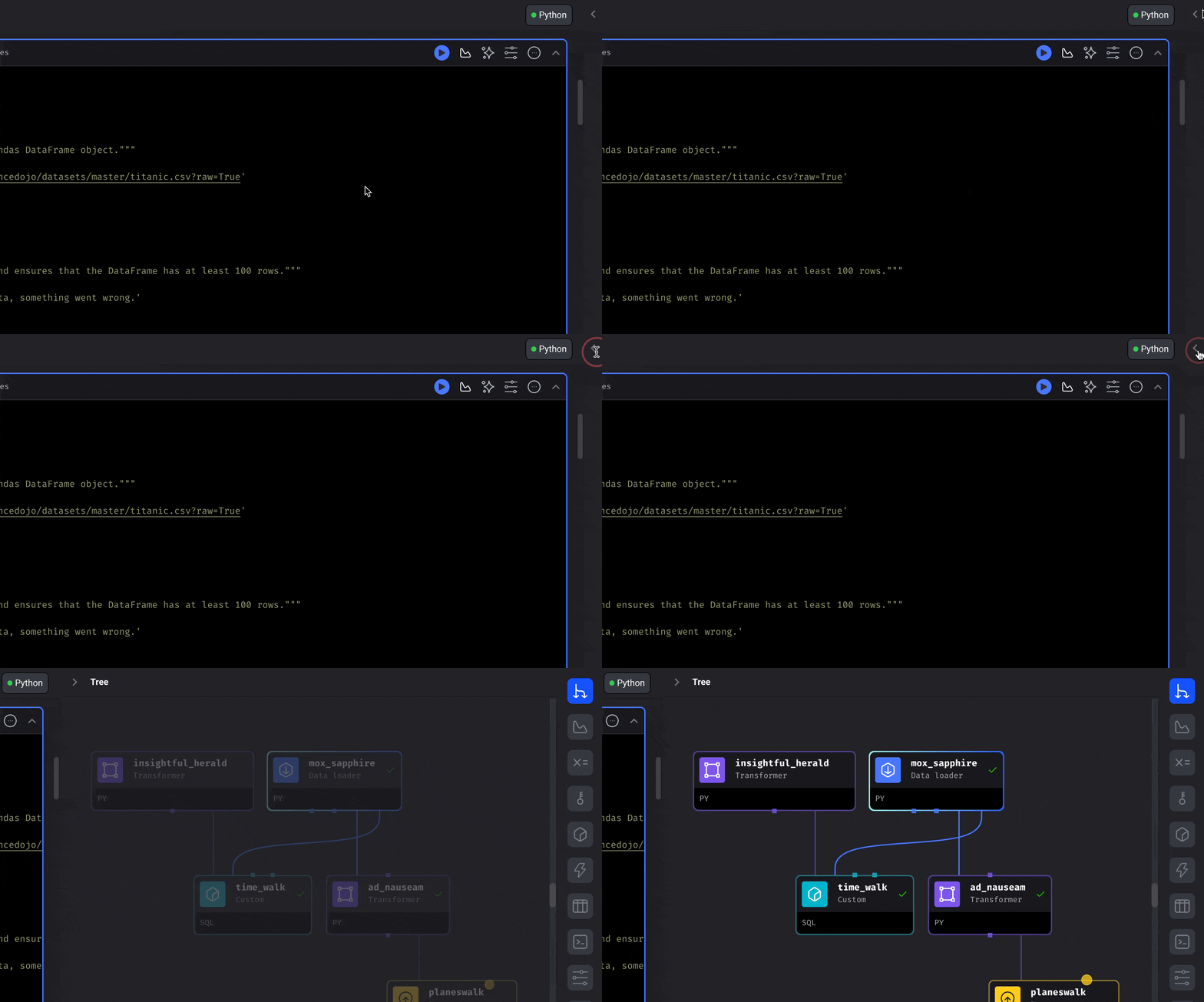
In the top right corner of the page, click the `Chevron` or `Arrow` looking icon to expand
the right panel and reveal the Sidekick.
***
## Visualize block output data
Add 1 or multiple charts to visualize the data produced by a block.
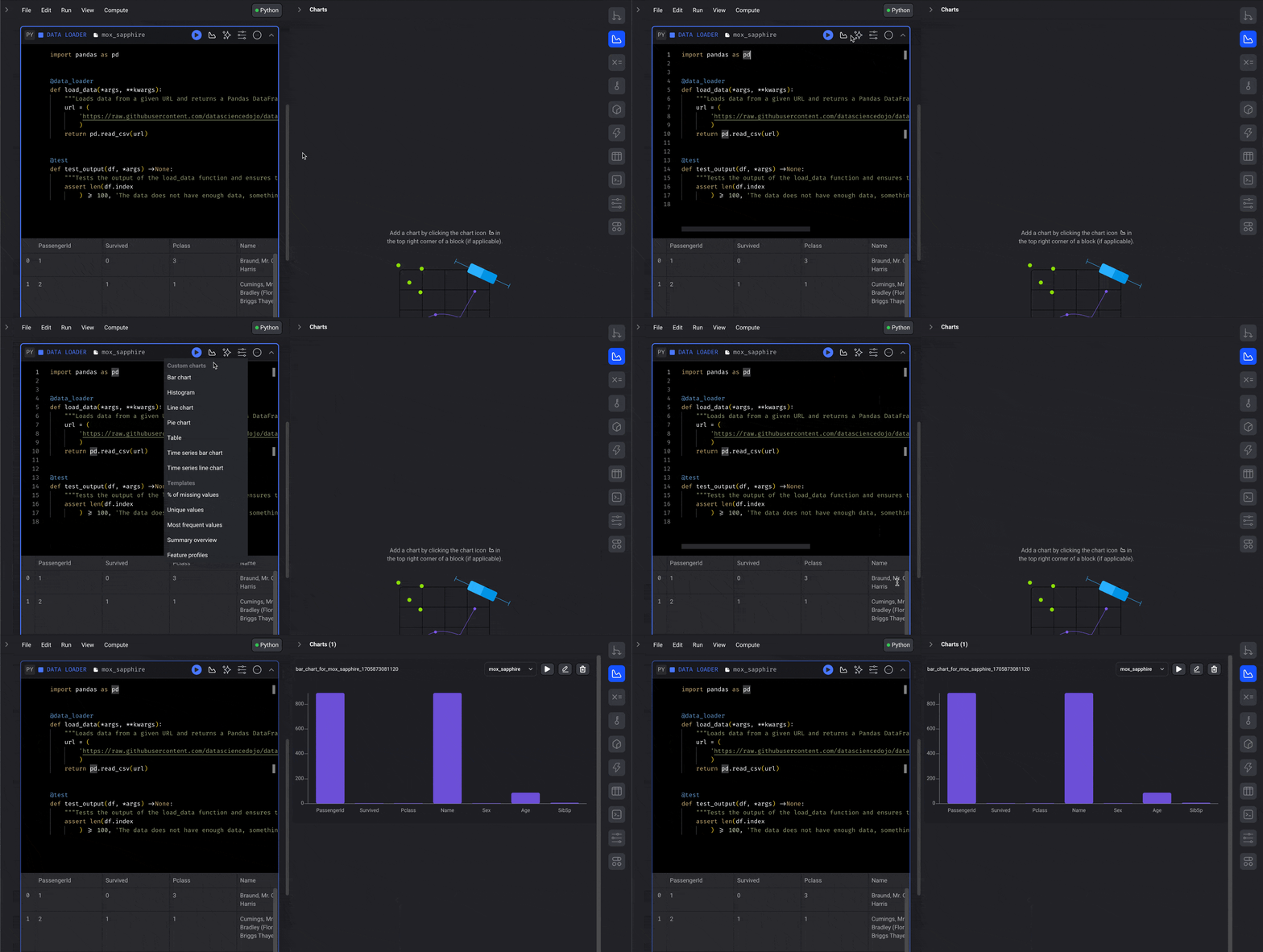
[Read more](/visualizations/dashboards) about how to create entire dashboards
for an individual pipeline or for the entire project.
***
## Configure pipeline variables
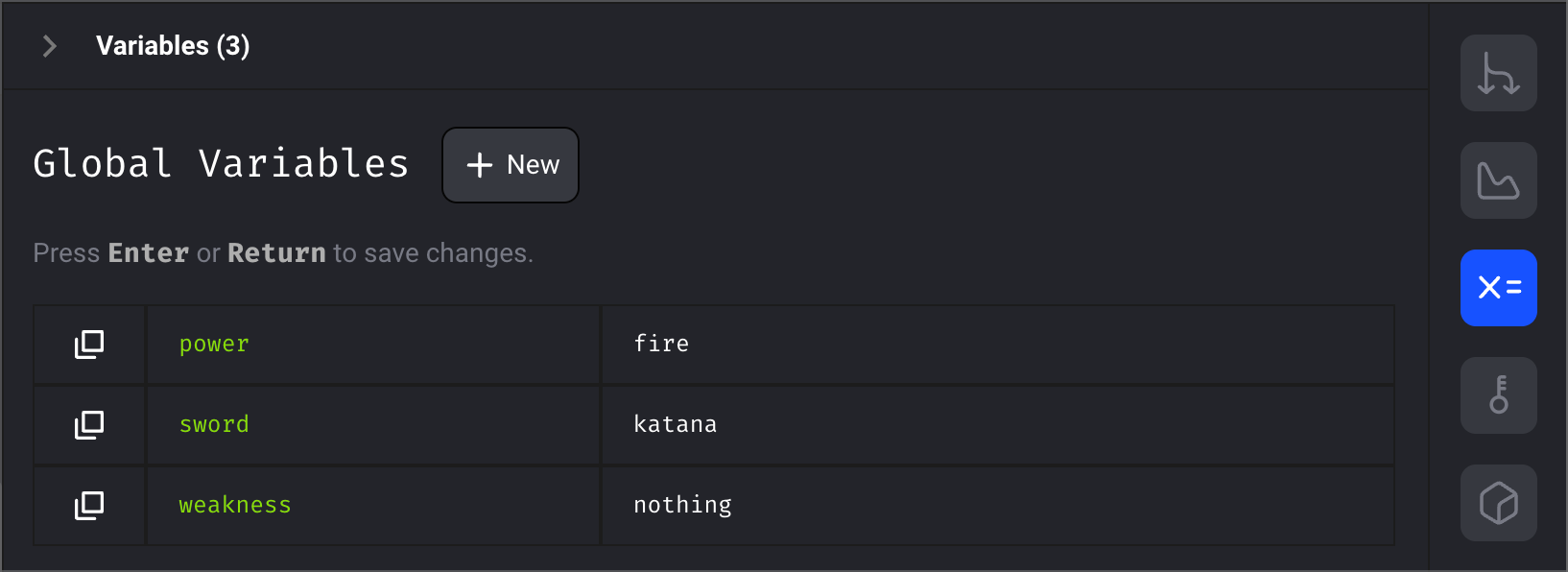
Use variables in your code and interpolate them at runtime.
These variables can be defined at the moment the pipeline is triggered or
pre-configured from the Sidekick.
[Read more here](/getting-started/runtime-variable)
***
## Store sensitive secrets
Secrets don’t make friends... but they save companies from oblivion.
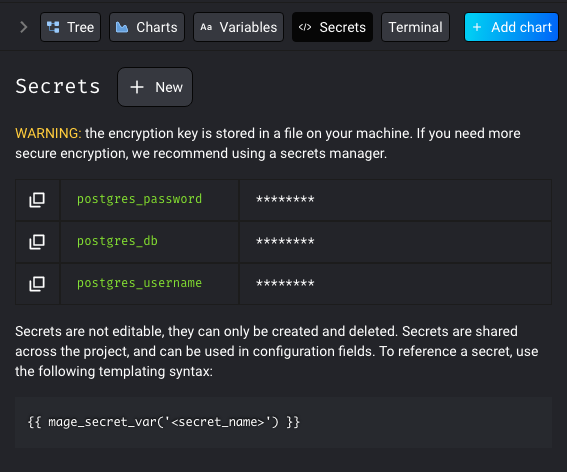
[Read more here](/development/variables/secrets)
***
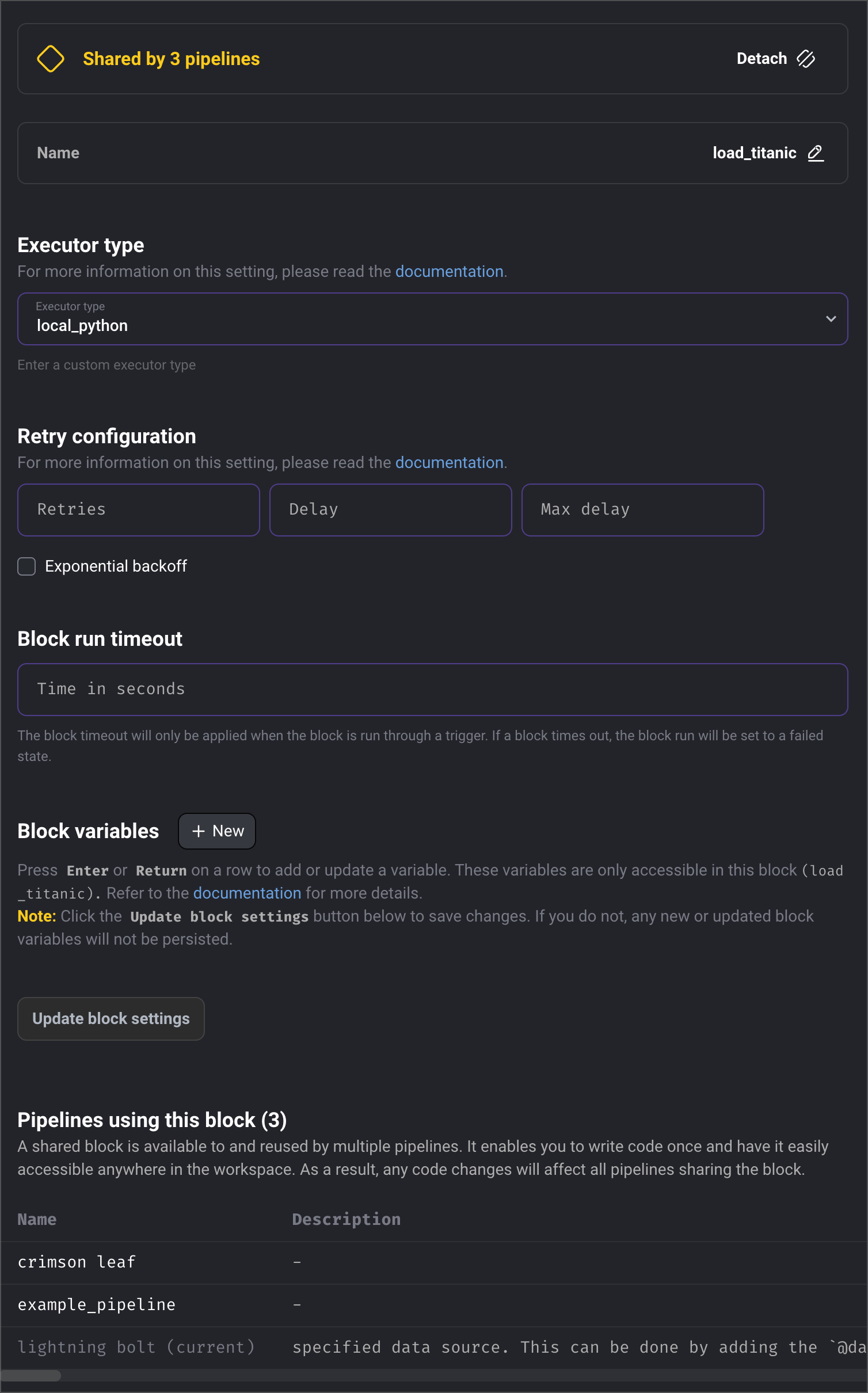
## Customize settings for every individual block
1. Rename a block
2. Set what execution engine the block should use
3. Configure how the block should retry itself in case of failure
4. Set a timeout limit for how long the block can run before it should fail
5. Configure variables specific to a block
6. View which pipelines are currently using a block
***