> ## Documentation Index
> Fetch the complete documentation index at: https://docs.mage.ai/llms.txt
> Use this file to discover all available pages before exploring further.

# Personalize your workspace

> Customize workspace themes, personalize accounts, and re-configure UI component layouts.

export const ProOnly = ({button = 'Get started for free', description = 'Try our fully managed solution to access this advanced feature.', source = 'documentation', title = 'Only in Mage Pro.'}) => <a href={`https://cloud.mage.ai/sign-up?source=${source}`} className="block my-4 px-5 py-4 overflow-hidden rounded-xl flex gap-3 border border-emerald-500/20 bg-emerald-50/50 dark:border-emerald-500/30 dark:bg-emerald-500/10" target="_blank">
    <div style={{
  display: 'flex',
  alignItems: 'center',
  width: '100%'
}}>
      <div className="text-sm prose min-w-0 text-emerald-900 dark:text-emerald-200" style={{
  flex: 1
}}>
        {title}
        <p className="normal">{description}</p>
      </div>

      <div> </div>

      <div>
        <ProButton label={button} href={`https://cloud.mage.ai/sign-up?source=${source}`} />
      </div>
    </div>
  </a>;

export const ProButton = ({href, label = 'Get started with Mage Pro for free', source = 'documentation'}) => <div style={{
  height: 32,
  position: 'relative'
}}>
    <a target="_blank" className="group px-4 py-1.5 relative inline-flex items-center text-sm font-medium rounded-full" href={href ?? `https://cloud.mage.ai/sign-up?source=${source}`}>
      <span className="absolute inset-0 bg-primary-dark dark:bg-primary-light/10 border-primary-light/30 rounded-full dark:border group-hover:opacity-[0.9] dark:group-hover:border-primary-light/60">
      </span>

      <div className="mr-0.5 space-x-2.5 flex items-center">
        <span class="z-10 text-white dark:text-primary-light">
          {label}
        </span>

        <svg width="3" height="24" viewBox="0 -9 3 24" class="h-5 rotate-0 overflow-visible text-white/90 dark:text-primary-light">
          <path d="M0 0L3 3L0 6" fill="none" stroke="currentColor" stroke-width="1.5" stroke-linecap="round"></path>
        </svg>
      </div>
    </a>
  </div>;

<ProOnly source="personalize" />

## Themes

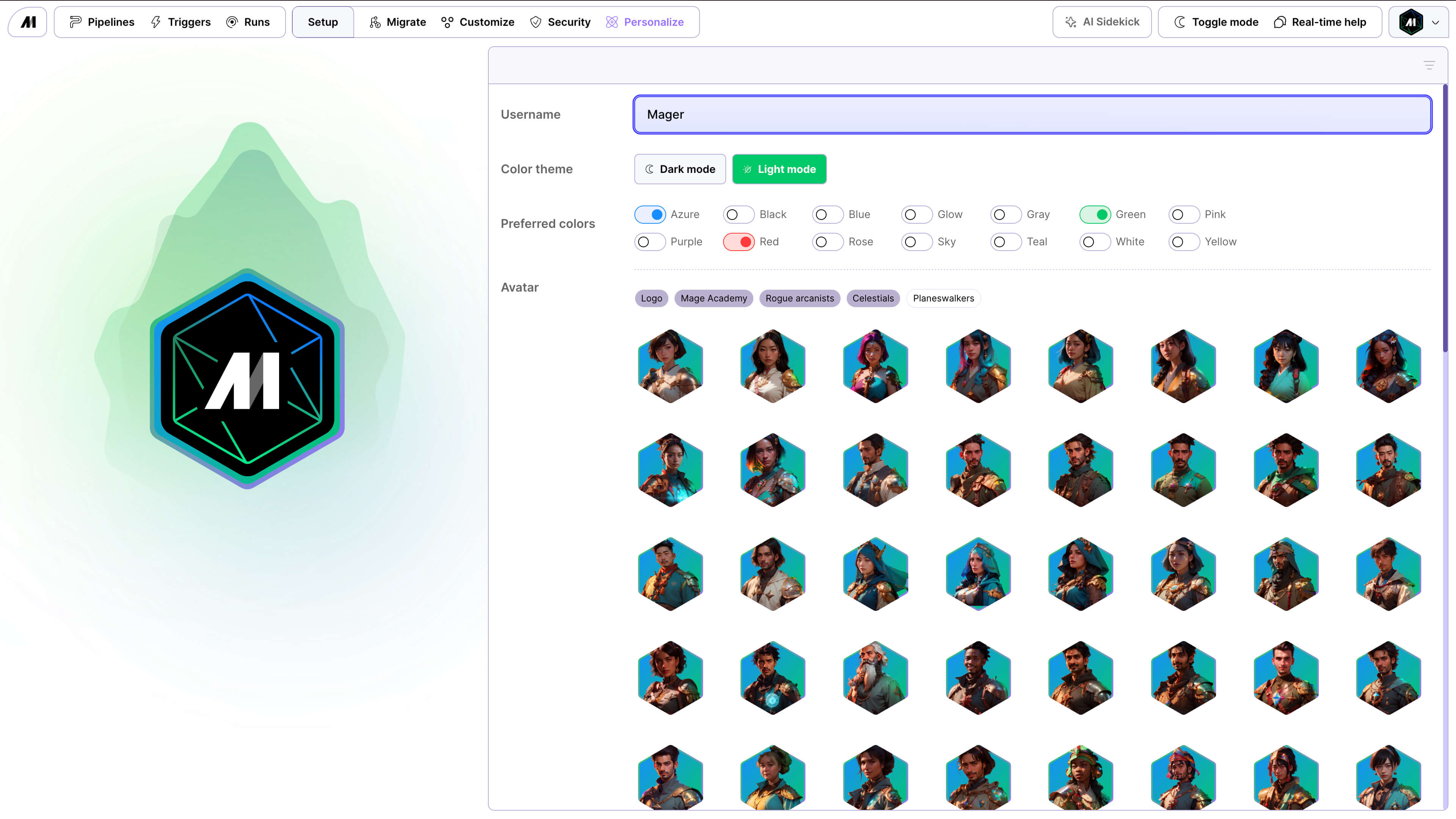
<Frame caption="Light theme">
  <img alt="Mage Pro Personalize workspace light" src="https://mage-ai.github.io/assets/pro/features/personalize-light.jpg" />
</Frame>

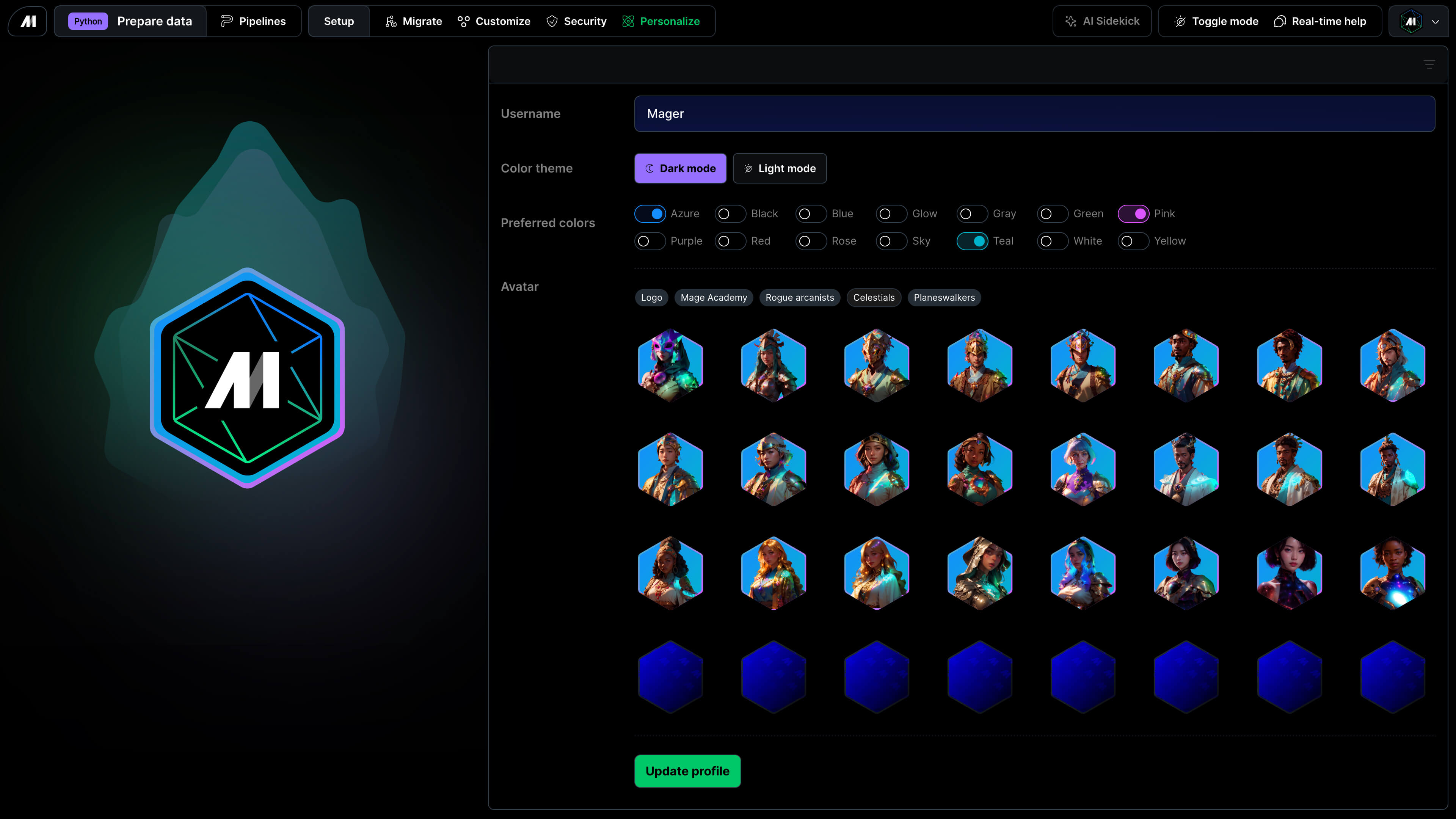
<Frame caption="Dark theme">
  <img alt="Mage Pro Personalize workspace dark" src="https://mage-ai.github.io/assets/pro/features/personalize-dark.jpg" />
</Frame>

***

## Logo

Change the logo that appears in the top left corner.
<Frame>
  <p align="center">
    <img alt="Custom logo design" src="https://mage-ai.github.io/assets/platform/design-header-logo.png" />
  </p>
</Frame>

***

## Layout

### Add block buttons

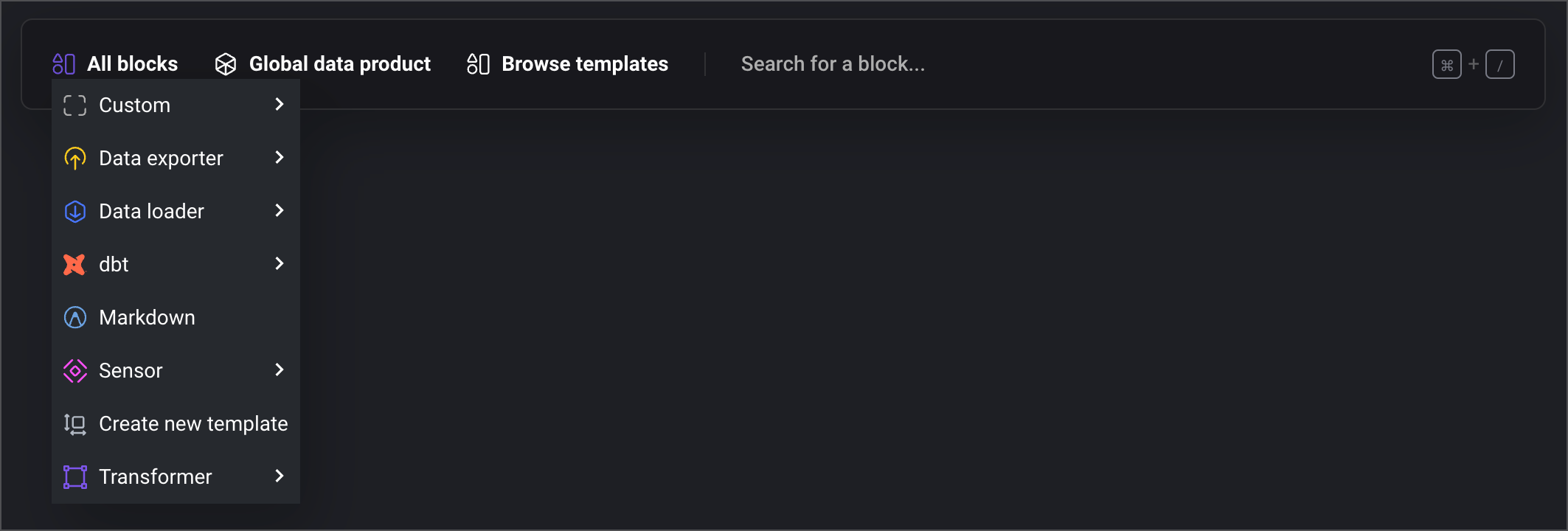
Customize the buttons that show up by default on the Add new block bar on the notebook page
while building a pipeline.

You can change the order of what appears first as well as which buttons are visible by default
and which are displayed when the dropdown menu is shown after clicking the button <b>All blocks</b>.

<Frame>
  <p align="center">
    <img alt="Custom button layout" src="https://mage-ai.github.io/assets/platform/design-add-block_buttons.png" />
  </p>
</Frame>