> ## Documentation Index
> Fetch the complete documentation index at: https://docs.mage.ai/llms.txt
> Use this file to discover all available pages before exploring further.
# Code editor with enhanced productivity
> Code browser and editor with syntax highlighting, code formatting, and version history.
export const ProOnly = ({button = 'Get started for free', description = 'Try our fully managed solution to access this advanced feature.', source = 'documentation', title = 'Only in Mage Pro.'}) =>
;
export const ProButton = ({href, label = 'Get started with Mage Pro for free', source = 'documentation'}) => ;
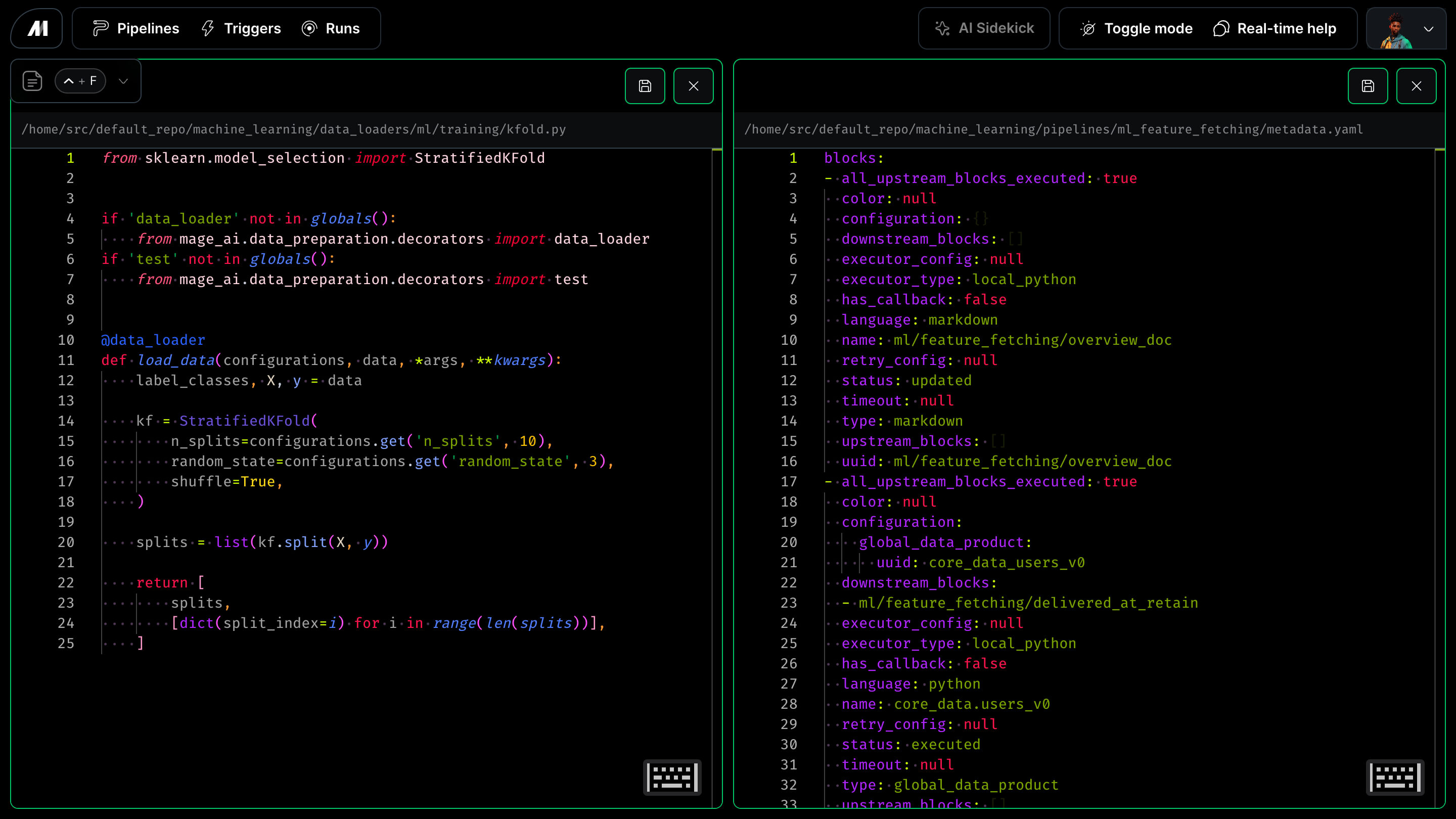 1. Multi-column and multi=row layout
2. Support for rendering files of all types across every Mage and non-Mage projects
3. Automatically format code styling and run linters to fix syntax
4. Customizable project and pipeline settings per environment.
5. Manage multiple Mage projects and any other files from a single application
6. Local file edit tracking and version history for restoring changes made in the past
7. Syntax highlighting
8. Extensions
1. Multi-column and multi=row layout
2. Support for rendering files of all types across every Mage and non-Mage projects
3. Automatically format code styling and run linters to fix syntax
4. Customizable project and pipeline settings per environment.
5. Manage multiple Mage projects and any other files from a single application
6. Local file edit tracking and version history for restoring changes made in the past
7. Syntax highlighting
8. Extensions