> ## Documentation Index
> Fetch the complete documentation index at: https://docs.mage.ai/llms.txt
> Use this file to discover all available pages before exploring further.
# Block dependency tree
> Money does grow on trees... if you plant them with magic beans.
## Drag-and-drop blocks to update dependencies
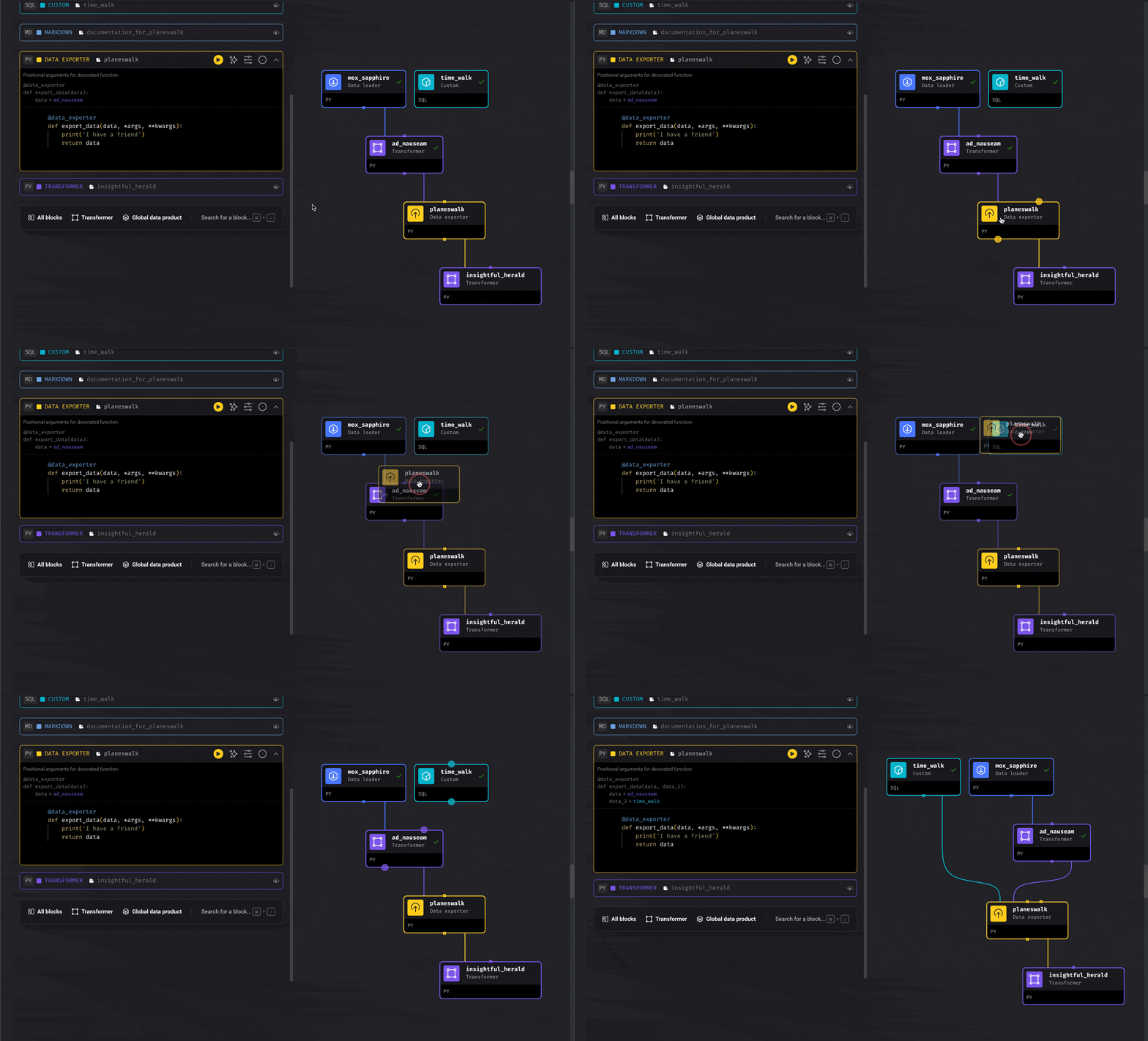
Click a block in the tree, hold down the mouse, and drag it to another block and release.
This will set the dragged block as a downstream block from the one that you dropped it on.
### Drag an entire group of blocks
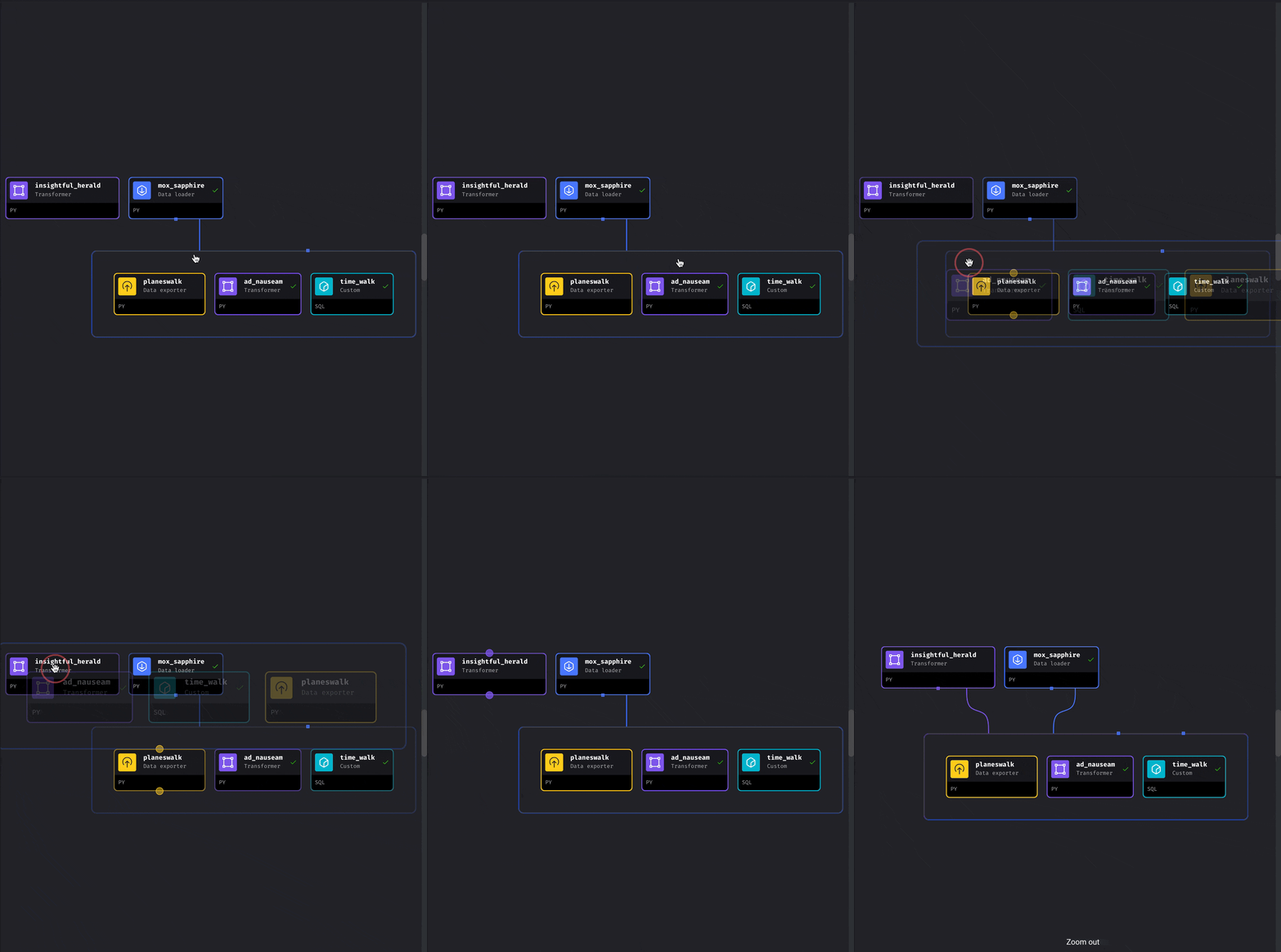
Blocks in the tree are visually grouped if every block in the group has the same set of
upstream blocks.
When a group is visually formed, you can drag-and-drop the entire group onto another block
and the entire group will be set as the downstream for the block you dropped it on.
***
## Right click menu
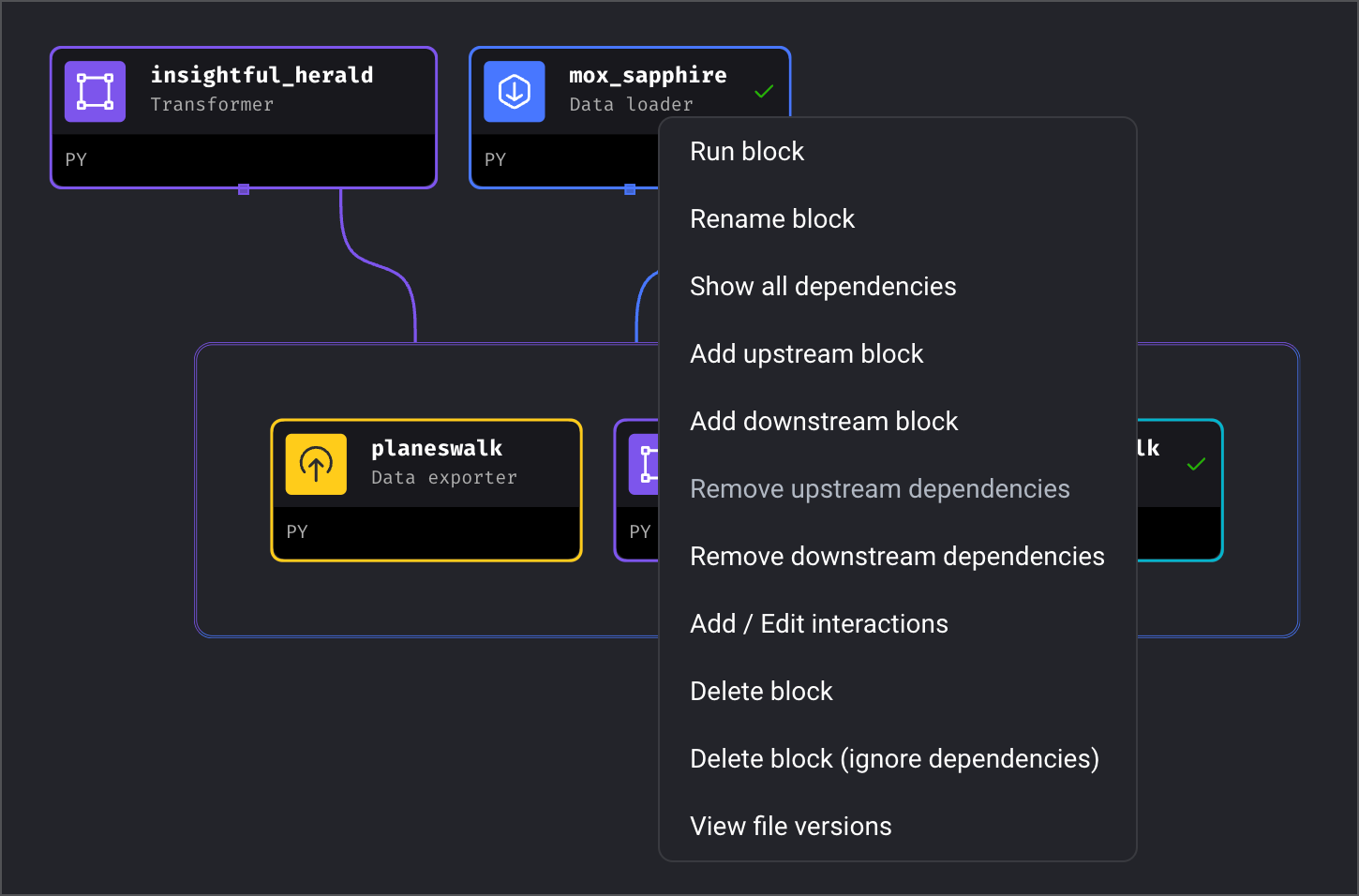
Right click on any block to reveal a dropdown menu full of useful commands.
1. Run block
2. Rename block
3. Show all dependencies
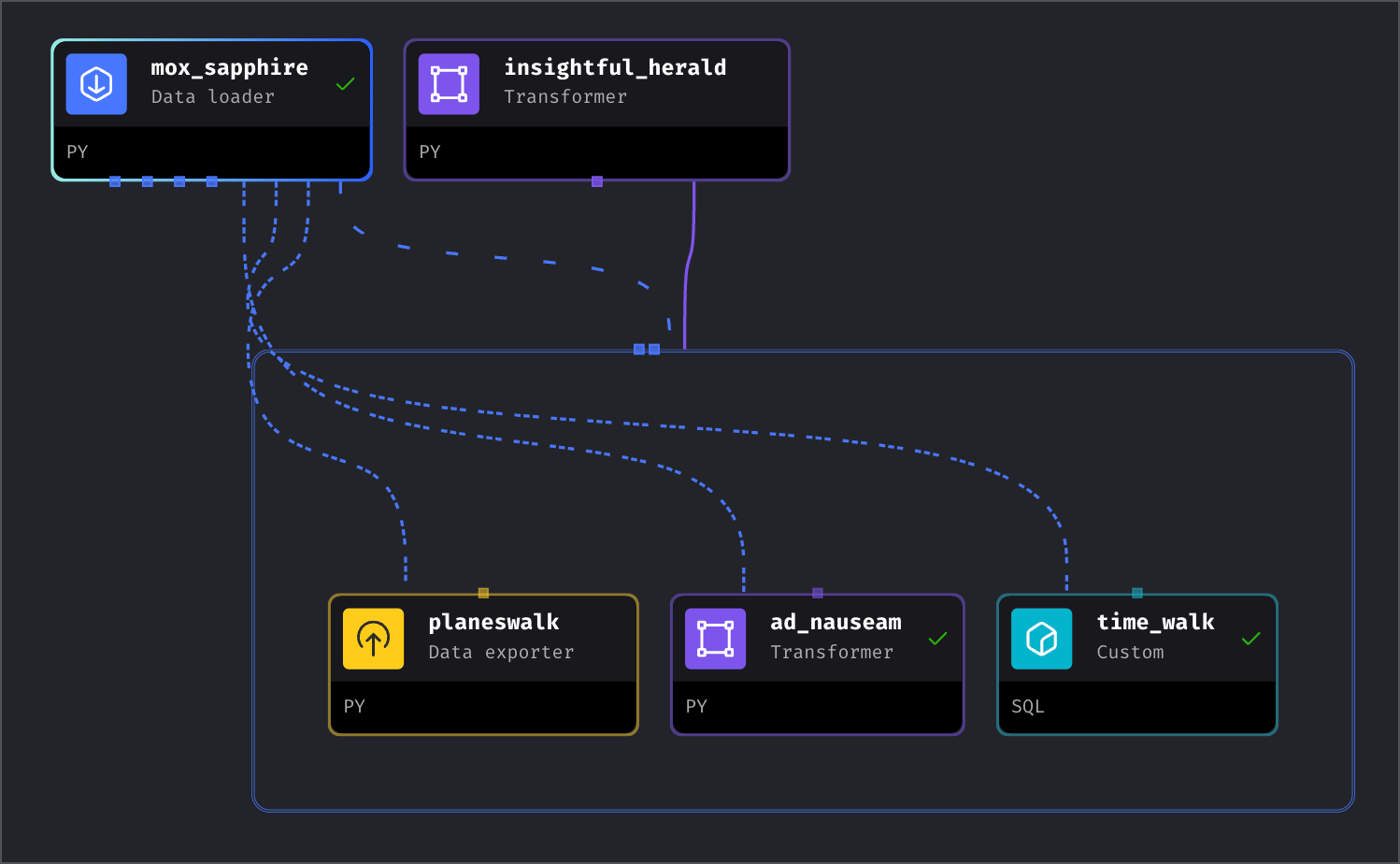
4. Add upstream block
5. Add downstream block
6. Remove upstream dependencies
7. Remove downstream dependencies
8. Add/Edit interactions
9. Delete block
10. Delete block (ignore) dependencies
11. View file versions
***
## Edit the connection between blocks
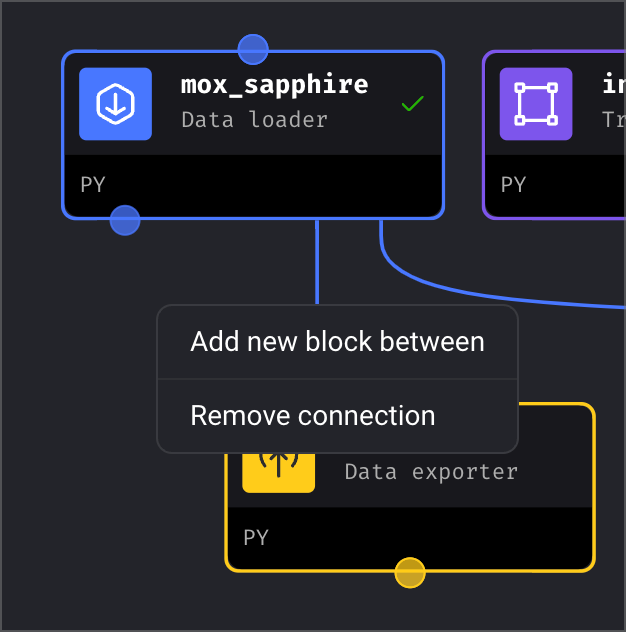
Click on the line between any block and a menu will appear with these options:
1. Add new block between
2. Remove connection
***
## Drag lines to connect blocks
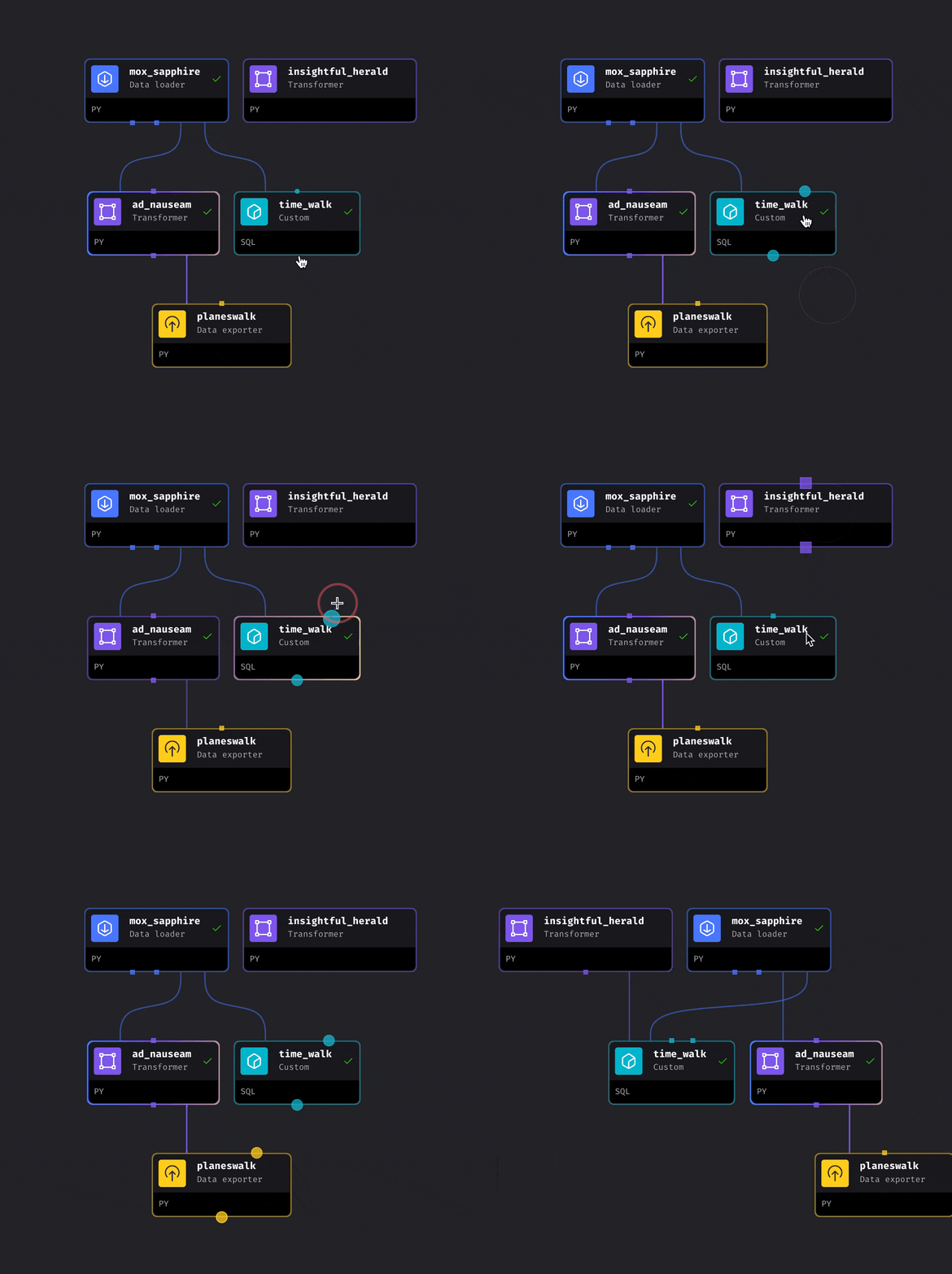
Hover your mouse over a block to reveal 2 orbs (aka circles, dots, etc.).
Click and hold down on the top orb and drag it to another block then release.
This will set the 1st block as the downstream dependency of the 2nd block.
If you click on the bottom orb, then the 1st block will be set as the upstream dependency of the 2nd block.
***